Explore the building blocks that power Magento 2 admin grids
Grid Core
Search & Filtering
Advanced multi-column filtering with custom criteria
Sorting
Click-to-sort columns with persistent preferences
Pagination
Efficient data loading with customizable page sizes
Mass Actions
Bulk operations on multiple selected records
Column Management
Show/hide and reorder columns dynamically
Select a component to explore
Click on any component above to learn more about its features and implementation.
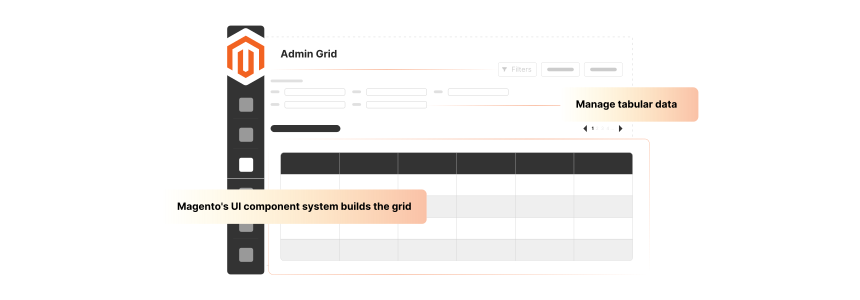
An admin grid in Magento 2 is a backend interface. It helps display and manage tabular data within the admin panel.
The interface enables admins to view records in an organized and filterable format. These include products and custom entities.
Magento's UI component system builds the grid. They support features like column sorting and mass actions.
XML files configure each grid. The data provider and collection class backs them, fetching data from the database.
The grids are customizable. It allows developers to add custom columns and filters as needed. It is a powerful tool for managing large datasets in a structured and user-focused manner.
6 Key Features of Admin Grid in Magento 2
Choose Your Creation Method
Compare the two main approaches for building admin grids in Magento 2
RECOMMENDED
UI Components Method
Modern, scalable approach using Magento's UI component framework for feature-rich grids.
Advantages
Built-in filtering & sorting
Highly scalable
Future-proof
Best For
Enterprise applications, complex data requirements, long-term projects
Layout XML Method
Legacy approach using traditional XML layouts for simple grid implementations.
Magento’s Access Control List system ensures that grids respect user permissions:
Restricts the entire grid to specific admin roles
Hide mass actions or buttons for certain users
Show or hide individual columns based on role, if needed
It ensures data security and proper role-based workflows.
2. Mass Action Confirmation & Feedback
When performing bulk actions, Magento displays confirmation dialogs. It helps prevent accidental operations.
After you perform actions, the grid displays success or error messages to inform the user. Magento also highlights the affected rows or cells for visual clarity.
3. Customization & Extensibility
Magento admin grids are extensible:
Developers can add custom toolbar buttons
Add inline editing features
Add multi-select dropdowns or other UI components in columns
Magento UI components build the grid. It enables advanced customization to be modular and upgrade-focused.
4. Export Functionality
Grids often support data export in various formats, such as:
CSV
Excel XML
Admins can export filtered or full grid data for offline reporting. They can also import it into other systems. Exporting respects current filters and sort orders for consistency.
5. AJAX-Based Interactions
Many Magento 2 grids are AJAX-powered, meaning:
Applying filters does not reload the entire page
Sorting is fast and smooth
Pagination is smoother
It reduces load time and improves the user experience. It is especially true in data-heavy grids such as orders or customers.
6. Custom Columns & Data Presentation
Magento 2 allows developers to add custom columns with any data:
Static data, such as simple DB fields.
Computed fields depend on various fields or business logic.
Action columns, such as edit buttons or a view details link.
Custom columns can also display custom HTML or styling to improve clarity.
5 Core Components of Magento 2 Admin Grids
Powerful Features Built-In
Discover the capabilities that make Magento 2 admin grids exceptional
Permission Control
Role-based access with granular permissions
View Products
Edit Products
Delete Products
Mass Actions
Bulk operations with confirmation dialogs
Selected: 42 items
Full Customization
Extensible framework for any requirement
Custom Columns+Add
Custom Filters+Add
Custom Actions+Add
Export Data
Multiple formats with filter preservation
AJAX Powered
Instant updates without page reloads
Loading...
Custom Columns
Add any data with custom rendering
Product Image
Stock Status
Custom Actions
1. Search & Filtering
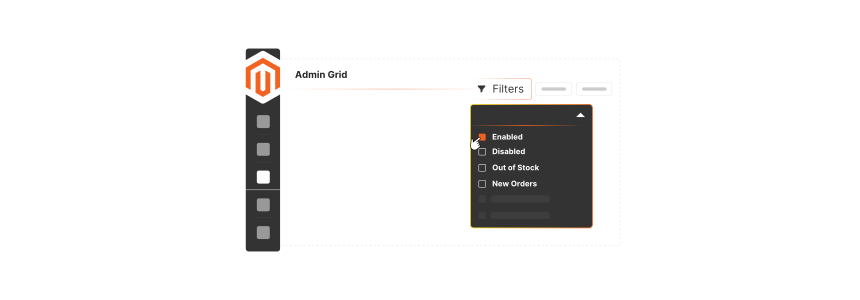
Magento 2 admin grids offer powerful search and filtering capabilities. Configure each column to display filter controls, such as text input or date pickers.
Admins can combine filters across various columns to refine the displayed data. It helps them locate a specific order or product in large datasets.
It allows users to narrow down large datasets using various criteria. These include date ranges or text searches.
2. Sorting
All grid columns support ascending and descending sorting by default. Users click the column header to toggle sorting order.
Magento remembers user preferences. The grid reloads with the same sorting on the next visit. The system processes sorting either server-side or with AJAX, depending on the configuration.
3. Pagination
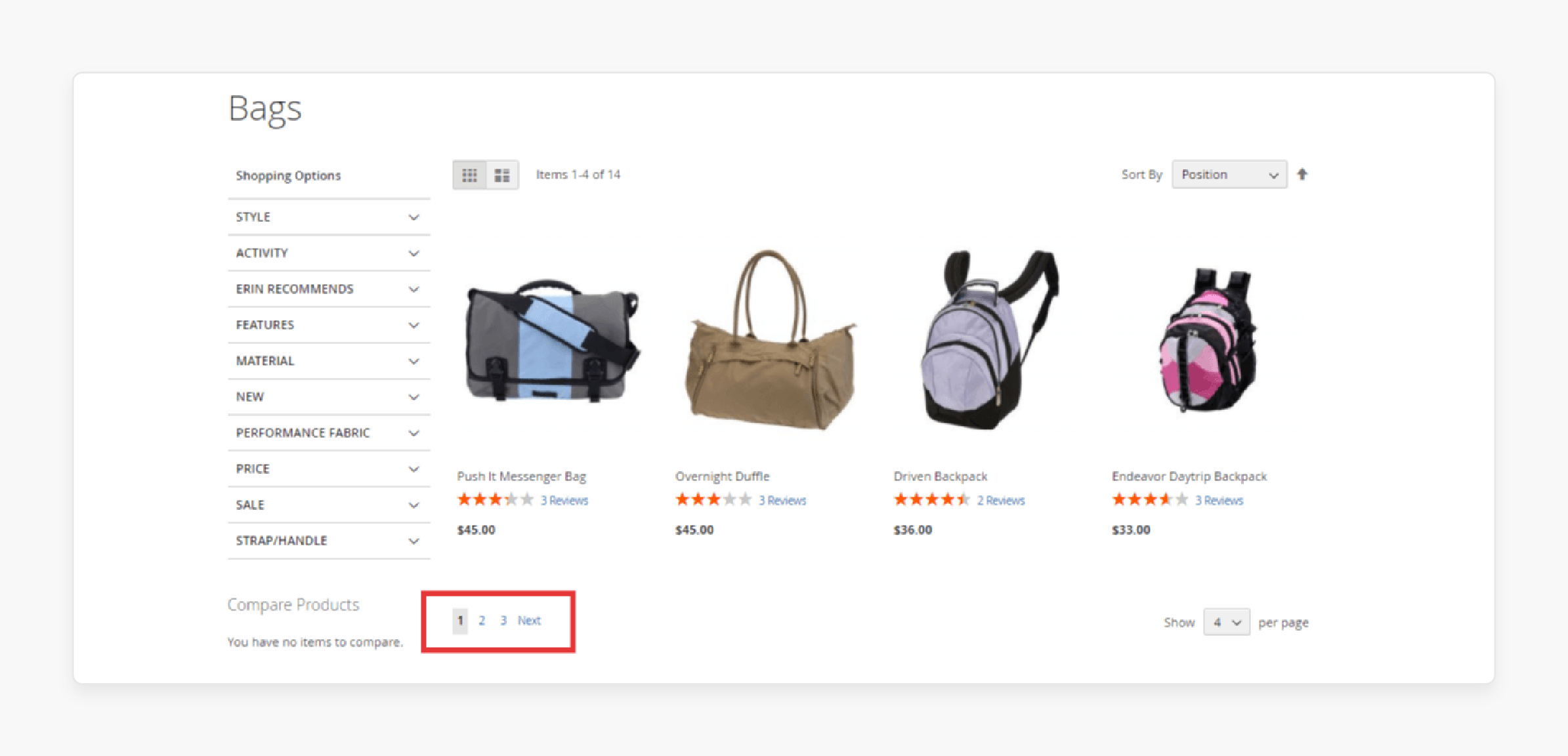
Magento paginates admin grids by default to maintain performance with large datasets.
Admins can choose how many records to display per page. Pagination ensures that even grids with several records load fast and remain responsive.
4. Mass Actions
It is one of the most useful features. Admins can select various records using checkboxes. They can take action on all selected items. These include deleting and assigning to a group.
Magento provides a dedicated mass action panel with configurable options. Developers can extend it.
5. Column Management
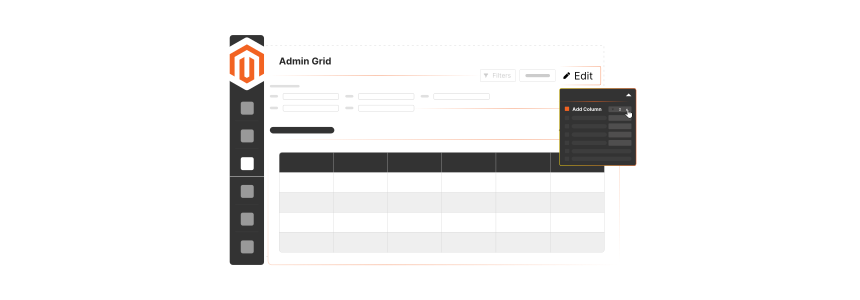
Admin users can control which columns are visible in the grid:
1.Show/hide columns
2.Drag and drop to reorder columns
It also determines what data appears in each column. It includes data types and display formatting.
Magento saves these preferences per user session. It helps admins customize the grid to focus on the most relevant data for their workflows.
2 Main Creation Methods of Magento 2 Admin Grids
Performance Optimization
Boost your grid performance with proven optimization techniques
Before Optimization
Load Time8.2s
Memory Usage245MB
Query Count142
OPTIMIZED
After Optimization
Load Time1.8s
Memory Usage82MB
Query Count23
0%
Faster Loading
0%
Less Memory
0%
Fewer Queries
Optimization Checklist
Enable server-side pagination for large datasets
Index database columns used in filters and sorting
Implement AJAX loading for seamless interactions
Cache computed values and heavy calculations
Optimize collection queries to avoid N+1 problems
1. UI Components Method
It is Magento's modern and recommended approach for creating admin grids. The method uses Magento's powerful UI component framework to build dynamic, feature-rich interfaces.
Key Advantages:
Scalable and performant
Extensive built-in filtering and sorting capabilities
Easy integration with Magento's existing admin themes
Support for advanced features like inline editing and mass actions
Better compatibility with future Magento updates
Challenges:
The steeper learning curve for beginners
More complex initial setup
Requires understanding of Magento's UI component architecture
Best Use Cases:
Large-scale applications with complex data requirements
Grids requiring advanced filtering and sorting
Projects needing long-term maintainability
Integration with Magento's admin theme system
2. Layout XML Method
The Layout XML method is a legacy approach. It still serves specific purposes and can be simpler for basic implementations.
Key Advantages:
Straightforward setup process
Easier to understand for developers new to Magento
Faster initial development for simple grids
Direct control over the grid structure
Limitations:
Limited advanced features
Less scalable for complex requirements
Reduced compatibility with modern Magento features
Needs more manual work for common functionalities
Best Use Cases:
Simple grids with basic requirements
Quick prototypes or proof-of-concept projects
Legacy system integrations
Developers prefer direct control over the grid structure
4 Advanced Customization Techniques of Magento 2 Admin Grids
Real-World Success Stories
See how leading brands leverage admin grids for their operations
Bulk
Health & Nutrition E-commerce
Enterprise Scale
Implementation Highlights
Order grid with real-time status updates
Mass invoice creation for bulk orders
Warehouse integration for inventory sync
85%
Faster Processing
10K+
Daily Orders
24/7
Operations
Forever New
Global Fashion Retailer
Multi-Channel
Implementation Highlights
Real-time inventory across warehouses
Low-stock alerts with auto-replenishment
Multi-location fulfillment tracking
150+
Store Locations
95%
Stock Accuracy
Load Time
Tom Dixon
Luxury Design Brand
Marketing Focus
Implementation Highlights
Campaign performance tracking grid
Coupon usage analytics dashboard
Email integration for segmentation
42%
ROI Increase
5K+
Campaigns
360°
View
Ready to Transform Your Backend?
Join these successful brands in leveraging the power of Magento 2 admin grids
1. Adding Custom Columns
You can add custom columns to any Magento 2 admin grid. It helps display extra data or computed values.
It involves extending the grid’s UI component XML. It also enhances the data provider with the required fields.
Examples include adding product images or third-party integration data. You can also style columns with icons or conditional formatting.
2. Implementing Advanced Filters
Magento supports advanced filtering, but developers can take it further:
Add range filters, such as price ranges or date ranges
Use multi-select filters, including categories or tags
Add dependent filters, like one filter updates another
Advanced filters enhance administrative efficiency by enabling more precise data slicing.
3. Custom Actions and Mass Actions
Beyond basic enable/disable/delete, you can add custom actions:
Export selected records to a custom format
Trigger email notifications
Assign records to a workflow stage
You define these actions in the mass action configuration. Use the logic in a dedicated controller. Custom row-level actions can also enhance usability.
4. Role-Based Grid Customization
Use Magento’s access control list and UI component features. It helps customize grids based on the admin user’s role:
Show/hide columns per role
Enable/disable mass actions based on permissions
Restrict row-level actions so that only managers can approve orders
Role-based customization improves security and enforces proper data governance in multi-user environments.
6 Common Challenges and Solutions of Admin Grid in Magento 2
1. Performance Issues with Large Datasets
Grids with thousands of records can load, resulting in a poor administrative experience.
Solution:
Use pagination and server-side filtering.
Index heavy columns to optimize query performance.
Avoid joining too many large tables in the collection.
Enable AJAX loading to cut full-page reloads.
2. Adding Complex Custom Columns
Displaying computed values or data from various tables can complicate grid configuration.
Solution:
Use data providers or custom plugins to prepare the needed data.
Use virtual columns when performance matters. You can compute it at runtime without database joins.
Cache heavy computed values where appropriate.
3. Mass Action Logic Complexity
Custom mass actions can introduce errors if not validated or transactional in nature.
Solution:
Use mass actions via transaction-safe service classes.
Add confirmation dialogs for critical actions.
Log changes to enable rollbacks if necessary.
4. Role-Based Display Inconsistencies
Incorrect ACL configuration can expose sensitive data or hide necessary columns.
Solution:
Structure ACL resources and map them to the correct UI elements.
Test grid views with various admin roles to confirm behavior.
Use Magento's built-in ACL checks for conditional logic in grids.
5. Custom Filter Logic Not Working
Advanced filters, such as range or multi-select, often fail. It is if it is not connected to the collection.
Solution:
Extend the filter pool configuration.
Use custom filter classes to handle non-standard fields.
Test filters across large datasets to confirm accuracy and performance.
6. Grid Configuration Gets Overwritten on Magento Upgrades
Core grid customizations may get lost or broken after Magento upgrades.
Solution:
Never edit core grid files; instead, use plugins and XML overrides.
Document grid customizations.
Test grids after each upgrade.
3 Real-World Use Cases of Admin Grid in Magento 2
1. Bulk
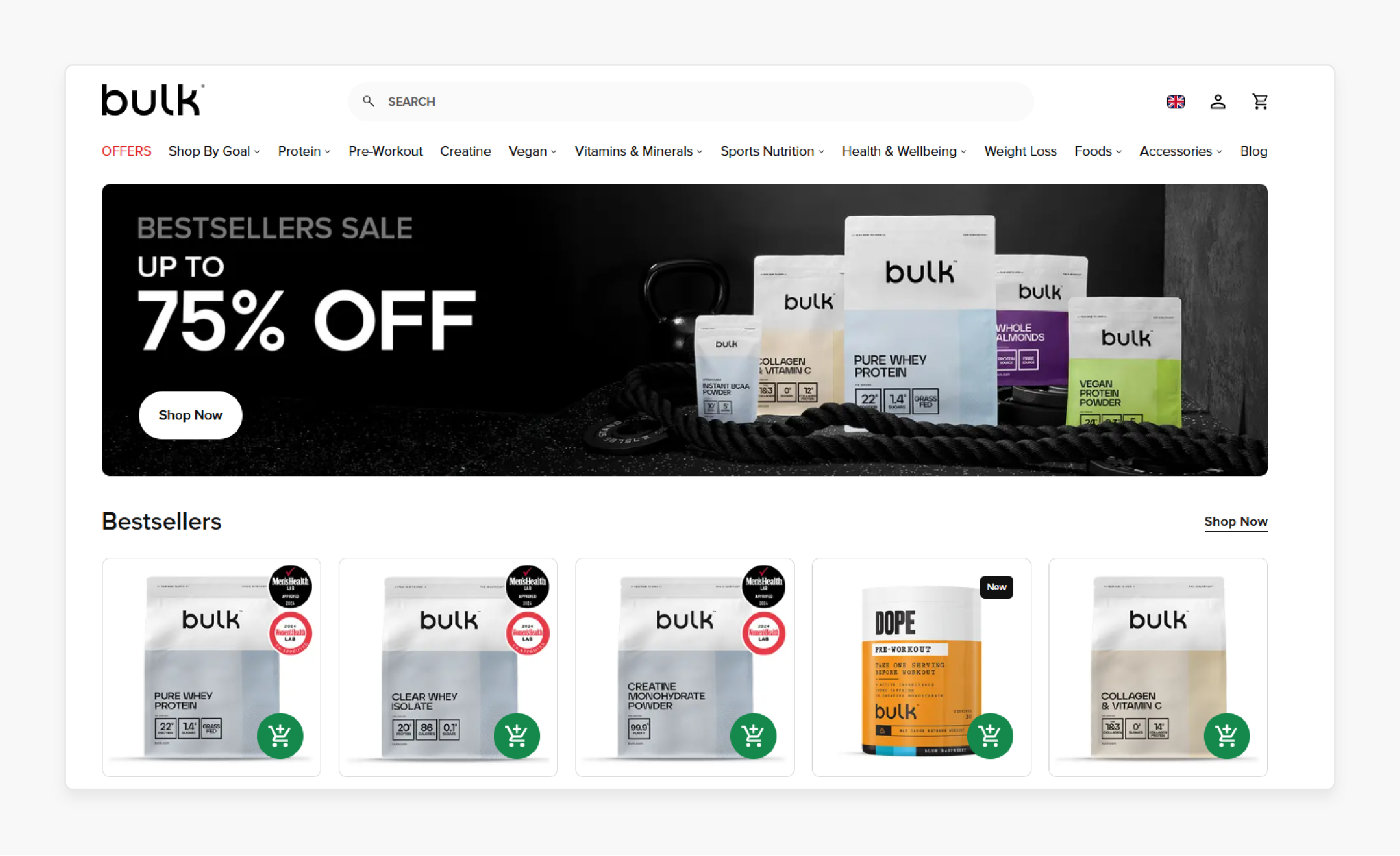
Bulk’s admin grid is central for sorting orders by status, such as pending or on-hold. It also helps perform mass invoice creation and shipment processing.
Filtering by coupon code or sales channel for promotional tracking. AJAX enhances the grid for faster navigation.
Use custom mass actions to trigger integrations with warehouse systems.
2. Forever New
Forever New uses Magento to manage inventory across warehouses and retail stores. Configure admin grids to show real-time stock levels and backorder status.
It also flags low-stock items using conditional formatting. Perform bulk updates to inventory via import/export tools.
Add custom columns such as “Warehouse Location” and “Next Replenishment Date”. It helps support fulfillment teams.
3. Tom Dixon
Tom Dixon uses Magento admin grids. It helps manage coupon codes with usage restrictions and expiry dates.
You can also view campaign participation by filtering orders with promo codes. It also helps export lists for campaign audits.
Grids also integrate with their email system via modules. It helps track performance and target specific customer segments.
1. How do I create a custom admin grid in Magento 2?
You create a custom admin grid using Magento’s UI component framework. Define the grid structure in XML and link it to a data provider and collection class. Customize the grid with columns and actions as needed.
2. How do you add or remove columns in the Magento 2 admin grid?
Change the grid’s UI component XML to add or remove <column> nodes. You can also update the data provider to include extra fields. To hide columns, use layout XML or role-based logic.
3. How do you enable inline editing in the Magento 2 admin grid?
Use the editor configuration within the UI component XML for the desired columns. Define an inline edit form and set the corresponding save URL. Ensure backend logic handles and validates the inline updates.
4. How can I optimize admin grid performance for large datasets?
Enable server-side filtering and pagination to reduce load times. Index heavy columns and avoid complex joins in your collection. Use AJAX-based grid loading for a smoother and faster admin experience.
5. What security considerations should I use for admin grids?
Apply Magento ACL rules to restrict grid access by role. Confirm and sanitize all grid input and output. Control visibility of mass actions and sensitive columns. It depends on user permissions to prevent data leaks.
Summary
Admin grids in Magento 2 are backend tools that display and manage large datasets. The article explores the key points of the interface, including:
Supports role-based access control, AJAX interactions, and export features.
Offers advanced filtering, sorting, and customizable columns for tailored views.
Create grids via UI components or legacy Layout XML based on project needs.
Advanced customization includes filters, mass actions, and role-based displays.
Supercharge your store’s performance to keep your admin grids lightning-fast and scalable. Pair it with managed Magento hosting to optimize backend efficiency.
Ruby Agarwal
Technical Writer
Ruby is an experienced technical writer sharing well-researched Magento hosting insights. She likes to combine unique technical and marketing knowledge in her content.