

Magento Hosting for Seasonal Traffic: Preparation Guide
[Updated: March 24, 2026]
Amazon lost an estimated $100 million in sales during a 75-minute outage on Prime Day 2018. Costco's 2019 Thanksgiving website crash cost an estimated $11 million over 16.5 hours of downtime. These failures share a root cause: hosting infrastructure that could not handle seasonal traffic spikes.
This guide covers the exact preparation steps, auto-scaling architecture, and timeline that keep Magento stores online during peak seasons.
Key Takeaways
- Black Friday 2025 hit $11.8 billion in US online sales, up 9.1% year over year
- 91% of mid-size and large enterprises report downtime costs above $300,000 per hour (ITIC)
- Auto-scaling triggers at 75% CPU load and provisions new server instances within minutes
- A 12 week preparation timeline eliminates rushed decisions before peak events
- Varnish full page cache, Redis session storage, and CDN reduce origin server load by 80% or more
What Is Seasonal Traffic in Magento?
Seasonal traffic = predictable surges in visitor volume driven by shopping events, holidays, and promotions. Your hosting must scale up for peaks and scale down to control costs.
Perfect for: Store owners preparing for Black Friday, holiday seasons, flash sales, or back to school events.
Not ideal for: Stores with flat, consistent traffic that never experience demand spikes.
Magento stores face traffic volumes 3x to 5x above baseline during major shopping events. Black Friday 2025 generated $11.8 billion in US online sales alone. Singles Day 2025 reached ¥1.695 trillion (about $238 billion) in global transactions. Back to school spending in 2025 hit $128 billion across K-12 and college households according to the National Retail Federation.
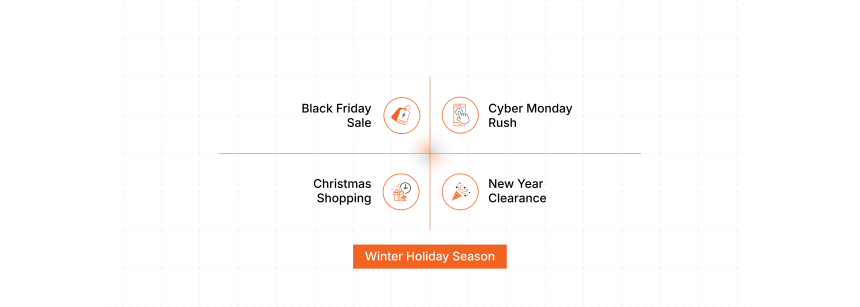
These numbers translate into server load that standard hosting configurations cannot handle. Without preparation, the result is 504 Gateway Timeout errors, abandoned carts, and permanent brand damage.
The Financial Cost of Unpreparedness
Downtime during peak traffic is not a minor inconvenience. It destroys revenue at scale.
| Impact | Real World Example |
|---|---|
| Direct revenue loss | A store processing $10,000/hour loses that amount for every hour of downtime during Black Friday |
| Customer abandonment | 40% of shoppers leave when page load exceeds 3 seconds |
| Brand reputation | A single viral tweet about your outage reaches 100,000+ potential customers |
| Marketing waste | Paid ad spend drives traffic to a broken store with zero return |
| Long term churn | 91% of mid-size and large enterprises report downtime costs exceeding $300,000 per hour (ITIC) |
The cost of preparation is a fraction of the cost of failure. A proper managed Magento hosting setup pays for itself during the first peak event it survives.
Infrastructure Requirements for Peak Traffic
Magento 2.4.8 (current stable release, March 2026) requires a specific technology stack. Building your seasonal infrastructure on outdated components creates bottlenecks before traffic even arrives.
Minimum production stack for seasonal readiness:
| Component | Version | Role |
|---|---|---|
| PHP | 8.3 or 8.4 | Application runtime |
| MySQL 8.4 or MariaDB 11.4 | Latest stable | Database |
| OpenSearch | 2.19 | Catalog and product search |
| Redis | 7.2 | Cache and session storage |
| Varnish | 7.6 | Full page cache |
| Composer | 2.9.3+ | Dependency management |
Hardware baselines for production stores:
- RAM: 16 GB minimum for stores with 5,000+ SKUs. 8 GB is the absolute floor for small catalogs. The old "4 GB is enough" advice does not apply to Magento 2 in production.
- Storage: NVMe SSD with IOPS sufficient for database operations under load
- CPU: Multi-core processors. AWS Graviton4 instances deliver up to 30% faster web application performance compared to x86 alternatives.
AWS Auto-Scaling Architecture
Auto-scaling is the core mechanism that keeps Magento stores alive during traffic spikes. It adds server instances when demand rises and removes them when demand drops.
How the scaling trigger works:
- CloudWatch monitors CPU utilization across all web server instances
- When CPU reaches 75% and holds for 60 seconds, the first scaling trigger fires
- A new EC2 instance launches from a pre-configured AMI (Amazon Machine Image)
- The load balancer registers the new instance and starts routing traffic within 2 to 3 minutes
- When load drops below 40% for 10 minutes, instances scale back down
This architecture eliminates both over-provisioning (paying for servers you do not need) and under-provisioning (crashing when traffic arrives).
Key components of a seasonal-ready auto-scaling setup:
- Application Load Balancer (ALB): Distributes requests across healthy instances based on connection count and response time
- Auto Scaling Group: Defines minimum (2), desired (3), and maximum (10+) instance counts
- Launch Template: Pre-configured AMI with PHP, Varnish, and application code ready to serve traffic
- Amazon Aurora: Database auto-scaling handles read replica provisioning. Aurora delivers up to 5x throughput compared to standard MySQL on the same hardware (based on SysBench benchmarks).
Caching and CDN Strategy
Caching is the first line of defense against traffic spikes. A well-configured cache serves 80% or more of requests without touching the application server.
Three-layer caching architecture:
Layer 1: Varnish Full Page Cache. Serves cached HTML pages in under 10 milliseconds. Handles thousands of concurrent requests per second on a single instance. Configure cache lifetime at 24 hours for product pages and 1 hour for category pages during sales events.
Layer 2: Redis. Stores session data, application cache, and full page cache tags in memory. Eliminates database queries for repeat visitors. Use separate Redis instances for sessions and cache to prevent memory contention.
Layer 3: Content Delivery Network. Amazon CloudFront or similar CDN caches static assets (images, CSS, JavaScript) on edge servers worldwide. Reduces latency for international visitors and offloads 60% or more of bandwidth from your origin servers.
12 Week Preparation Timeline
Most peak season failures happen because preparation starts too late. This timeline works backwards from your target event.
Weeks 12 to 9: Audit and Plan
- Run a full performance audit on current infrastructure
- Review server logs from the previous peak season to identify bottlenecks
- Verify all Magento patches are current (2.4.8-p4 as of March 2026)
- Audit third party extensions and disable non-essential ones
- Document baseline metrics: average response time, concurrent users, orders per hour
Weeks 8 to 5: Build and Configure
- Set up auto-scaling groups with tested launch templates
- Configure CloudWatch alarms for CPU, memory, disk I/O, and response time
- Deploy CDN and verify cache hit rates exceed 90% for static assets
- Optimize database queries and rebuild indexes
- Implement Redis for session storage if not already active
Weeks 4 to 2: Test and Validate
- Run load tests simulating 3x to 5x normal traffic using tools like Gatling, k6, or Apache JMeter
- Test auto-scaling triggers to confirm new instances launch and register within 3 minutes
- Validate checkout flow under sustained high load (this breaks first)
- Test payment gateway response times under concurrent sessions
- Run a full disaster recovery drill: kill a web server instance and verify traffic reroutes
Week 1: Final Checks
- Pre-scale infrastructure to 2x normal capacity before the event starts
- Verify monitoring dashboards show real time metrics for all critical services
- Confirm on-call personnel and escalation procedures
- Disable all non-critical cron jobs and background processes
- Lock deployments. No code changes during peak events.
Monitoring and Alerting
Monitoring without alerting is a dashboard nobody watches. Alerting without runbooks creates panic.

Critical metrics to track during peak events:
| Metric | Warning Threshold | Critical Threshold |
|---|---|---|
| CPU utilization | 70% | 85% |
| Memory usage | 75% | 90% |
| Response time (P95) | 2 seconds | 5 seconds |
| Error rate (5xx) | 1% | 5% |
| Database connections | 80% of max | 95% of max |
| Cache hit rate | Below 85% | Below 70% |
Set alerts to fire at warning thresholds so your team can respond before customers notice. Tools like New Relic, Datadog, or CloudWatch provide Magento-specific monitoring out of the box.
Cost Optimization During Off-Peak Periods
Seasonal hosting does not mean paying peak prices year round. The same auto-scaling that handles traffic spikes also reduces costs during quiet periods.
Cost control strategies:
- Right-size base instances. Use Reserved Instances or Savings Plans for baseline capacity at 40% to 60% discount versus on-demand pricing.
- Spot Instances for burst capacity. Non-critical background tasks (image processing, report generation) run on Spot Instances at 60% to 90% discount.
- Scheduled scaling. If your sale starts at a known time, pre-scale 30 minutes before launch instead of waiting for reactive triggers.
- Storage tiering. Move old logs and backups to S3 Glacier for 90%+ cost reduction versus EBS storage.
A store spending $2,000/month on baseline hosting might spend $4,000 to $6,000 during a two week peak period, then drop back to $2,000. Compare that to provisioning for peak capacity year round at $6,000/month.
Pros and Cons of Cloud Auto-Scaling for Seasonal Traffic
Explore our guide on US hosting providers.
FAQ
What load testing tools work best for Magento stores?
Gatling, k6, and Apache JMeter simulate realistic traffic patterns. Run tests against a staging environment that mirrors production. Start at 2x baseline traffic and increase to 5x. Focus on the checkout flow because it generates the most database writes and breaks first under load.
How far in advance should I prepare for Black Friday traffic?
Start 12 weeks before the event. The first four weeks cover auditing and planning. Weeks 5 through 8 handle infrastructure changes. Weeks 9 through 11 focus on load testing and validation. The final week is for pre-scaling and locking deployments.
What happens if auto-scaling cannot keep up with a sudden traffic spike?
Pre-scaling solves this. Set your minimum instance count to 2x normal capacity 30 minutes before a planned event starts. For unplanned spikes, configure aggressive scaling policies that add 2 instances at a time instead of 1. The 2 to 3 minute cold start gap is covered by Varnish cache serving existing requests.
How much does seasonal Magento hosting cost compared to fixed hosting?
A cloud auto-scaling setup costs more during the 2 to 4 week peak period but less during the remaining 48 to 50 weeks. A store paying $2,000/month baseline might spend $4,000 to $6,000 during peak weeks. Fixed provisioning for that same peak capacity costs $6,000/month year round, wasting $48,000+ per year on idle resources.
Can I use shared hosting for seasonal traffic?
No. Shared hosting pools resources across tenants with no isolation or scaling capability. A traffic spike on your store affects other tenants, and their spikes affect you. Magento 2 production stores need dedicated or cloud resources with auto-scaling.
What caching configuration works best during peak events?
Use Varnish for full page cache with a 24 hour TTL on product pages and 1 hour on category pages. Configure Redis for session storage and application cache on separate instances. Set cache warming scripts to run before peak events so the first visitors hit cached pages.
How do I monitor my store during a live sales event?
Set up real time dashboards showing CPU, memory, response time, error rates, and cache hit ratios. Configure alerts at warning thresholds (70% CPU, 2 second P95 response time) so your team acts before customers see problems. Assign dedicated on-call personnel with documented runbooks.
Should I disable Magento extensions during peak traffic?
Disable all non-essential extensions 48 hours before a peak event. Extensions that add JavaScript to the frontend, run background cron jobs, or make external API calls are the biggest offenders. Keep only extensions critical to the shopping and checkout experience active during the event.
Also explore our guide on Adobe Commerce hosting.
Summary
Seasonal traffic preparation separates stores that capture peak revenue from stores that crash and lose customers. Start 12 weeks before your target event, build auto-scaling architecture that handles 3x to 5x normal load, and test everything before real traffic arrives.
The combination of Varnish caching, Redis session storage, CDN distribution, and AWS auto-scaling creates infrastructure that scales with demand and shrinks with your budget.
Explore Magento hosting with built-in auto-scaling to prepare your store for the next peak season.
