

Magento Test Server: Setup, Performance Testing, and Staging Guide
[Updated: March 23, 2026]
One broken extension on your live store costs more than a full day of testing on a staging server. A Magento test server catches those problems before customers see them.
This guide covers staging setup, performance testing with JMeter, profiling with Blackfire, and automated test workflows for Magento 2.4.8.
Key Takeaways
- A Magento test server isolates code changes, extension updates, and database migrations from your production store
- Three environment types serve different purposes: staging servers replicate production, development servers test features, local servers enable rapid iteration
- JMeter with Magento Performance Toolkit is the standard for load and stress testing
- Blackfire and Tideways replace older profiling tools for identifying performance bottlenecks
- Automated testing through CI/CD pipelines catches regressions before deployment
- Docker containers provide reproducible test environments that match production configurations
What is a Magento Test Server?
Magento test server = a separate environment that mirrors your production store for safe testing of code changes, extensions, and performance. You invest time in setup but prevent costly production failures.
Perfect for: E-commerce teams pushing regular updates, agencies managing multiple Magento stores, developers testing extensions before release
Not ideal for: Single-page sites with no custom code, stores with zero development activity
A Magento test server runs your store's code and database in an isolated environment. Changes here never touch your live store. Developers use it to:
- Test extensions and code updates before deployment
- Run database migrations without risking production data
- Execute load and stress tests under realistic traffic conditions
- Debug errors with full stack traces enabled
- Validate Magento version upgrades (2.4.7 → 2.4.8)
Three Types of Magento Test Environments
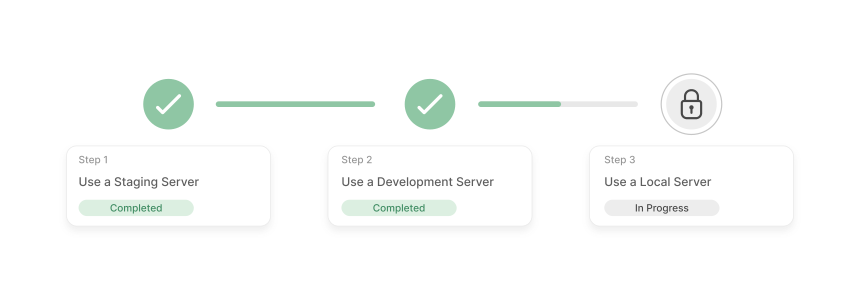
Each environment type serves a distinct purpose. Most production stores need all three.
Staging Server
A staging server runs on separate infrastructure that mirrors your production setup. This is the closest you get to a real-world test without touching live data.
Setup steps:
- Provision a server matching your production specs (same PHP version, same database engine)
- Install Magento 2.4.8 with identical configuration
- Clone your production database:
mysqldump -u [user] -p [database] | mysql -u [user] -p [staging_db] - Sync files from production:
rsync -avz /path/to/production/ /path/to/staging/ - Update
app/etc/env.phpwith staging database credentials and base URLs - Run
bin/magento setup:upgradeandbin/magento cache:flush
When to use: Pre-deployment validation, payment gateway testing, full checkout flows, database migration testing.
Development Server
A development server shares hardware with other environments but runs its own Magento instance. Lower cost than a dedicated staging server, but resource contention can skew performance metrics.
Setup steps:
- Create a subdomain (e.g.,
dev.yourstore.com) - Set up a separate database:
CREATE DATABASE magento_dev; - Clone your production codebase into the development directory
- Import a sanitized copy of your production database
- Update base URLs:
bin/magento setup:store-config:set --base-url="https://dev.yourstore.com/"
When to use: Feature development, extension testing, theme customization, API integration work.
Local Server with Docker
Running Magento in Docker containers gives every developer an identical environment. No "works on my machine" problems.
Docker Compose stack for Magento 2.4.8:
- PHP 8.3 or 8.4 (FPM)
- MySQL 8.4 LTS or MariaDB 11.4 LTS
- OpenSearch 2.x (Elasticsearch is deprecated since 2.4.8)
- Redis 7.2 or Valkey 8
- Varnish 7.x (optional for cache testing)
When to use: Daily development, quick bug fixes, unit testing, trying new extensions before committing to staging.
Performance Testing vs. Load Testing vs. Stress Testing
These three test types answer different questions about your Magento store.
| Testing Type | Question It Answers | Load Pattern | Key Metrics | When to Run |
|---|---|---|---|---|
| Performance | How fast is the store under normal conditions? | Standard traffic | Response time, TTFB, throughput | Every sprint, before releases |
| Load | Can the store handle expected peak traffic? | Normal to heavy | Transaction rates, error rates, resource usage | Before sales events, campaigns |
| Stress | Where does the store break? | Beyond maximum capacity | Breaking point, recovery time, failure modes | Before scaling decisions, platform changes |
Load testing validates your capacity plan. Stress testing reveals your limits. Run load tests before every major sale. Run stress tests when changing infrastructure.
Setting Up JMeter for Magento Performance Testing
Apache JMeter is the tool Magento recommends. It ships with the Magento Performance Toolkit and handles realistic test scenarios out of the box.
Step 1: Generate Test Data
Magento includes a fixture generator that creates realistic sample data. Choose a profile based on your store size:
bin/magento setup:performance:generate-fixtures setup/performance-toolkit/profiles/ce/small.xml
Available profiles: small, medium, large, extra_large. Each profile defines product counts, category depth, customer volumes, and order history.
Step 2: Configure JMeter Test Plan
Build test scenarios that match real user behavior:
- Homepage browse → Category page → Product detail page
- Search → Filter results → Add to cart
- Cart → Checkout → Payment → Order confirmation
- Account creation → Login → Order history
Add "think time" between actions (3 to 8 seconds) to simulate real browsing patterns. Without think time, JMeter sends requests faster than any human would, skewing results.
Step 3: Calculate Virtual Users
Use this formula to determine how many virtual users your test needs:
Virtual Users = (Hourly Sessions × Average Session Duration in seconds) / 3,600
Example: 500 hourly sessions with 180-second average duration = 25 virtual users.
Step 4: Run the Test
jmeter -n -t test_plan.jmx -l results.jtl -e -o /path/to/report/
Use non-GUI mode (-n) for accurate results. GUI mode consumes resources that distort measurements. Run the test from a machine separate from your Magento server to avoid local resource competition.
Step 5: Analyze Results
Focus on these metrics:
- Average response time under load (target: under 3 seconds for page loads)
- 95th percentile response time (reveals worst-case user experience)
- Throughput (requests per second your server handles)
- Error rate (should stay under 1% during normal load)
Profiling Magento Performance
Load testing tells you WHAT is slow. Profiling tells you WHY.
Blackfire
Blackfire traces every function call in your PHP code and identifies the exact lines consuming the most time and memory. Install the Blackfire agent on your test server:
curl -sSL https://packages.blackfire.io/gpg.key | sudo apt-key add -
echo "deb https://packages.blackfire.io/debian any main" | sudo tee /etc/apt/sources.list.d/blackfire.list
sudo apt update && sudo apt install blackfire-agent blackfire-php
Profile a specific page: blackfire curl https://staging.yourstore.com/catalog/category/view/id/3
Blackfire shows flame graphs that pinpoint slow database queries, inefficient loops, and memory-heavy operations.
Tideways
Tideways runs as a PHP extension that captures performance data in production without noticeable overhead. Pair it with XhGUI for visual analysis of call graphs and timeline views.
Best for: continuous monitoring on staging servers where you need ongoing performance data rather than one-time profiles.
Magento Quality Testing Framework
Magento 2.4.8 ships with a comprehensive testing framework. Run these tests on your test server before every deployment.
Product Quality Tests
| Test Type | What It Validates | Command |
|---|---|---|
| Functional (MFTF) | Storefront and admin UI workflows | vendor/bin/mftf run:test |
| Integration | Module interaction and data flow | vendor/bin/phpunit -c dev/tests/integration |
| API (REST/GraphQL) | Endpoint responses and data integrity | vendor/bin/phpunit -c dev/tests/api-functional |
| Unit | Individual class and method logic | vendor/bin/phpunit -c dev/tests/unit |
| JavaScript | Frontend components and UI behavior | grunt spec |
Code Quality Tests
| Tool | Purpose | Command |
|---|---|---|
| PHP_CodeSniffer | Coding standard violations | vendor/bin/phpcs --standard=Magento2 |
| PHP Mess Detector | Code complexity and potential bugs | vendor/bin/phpmd app/code text cleancode |
| PHPStan | Static analysis for type errors | vendor/bin/phpstan analyse |
Run these in your CI/CD pipeline so every pull request gets validated before merging.
CI/CD Pipeline for Automated Testing
Manual testing doesn't scale. A CI/CD pipeline runs your full test suite on every code change.
Pipeline stages:
-
Build: Install dependencies, compile assets (
bin/magento setup:di:compile) - Static Analysis: PHP_CodeSniffer, PHPStan, PHPMD
- Unit Tests: Fast, run on every commit
- Integration Tests: Run on pull requests, use a dedicated database
- Functional Tests: Run before deployment, validate critical user flows
- Deploy to Staging: Automatic deployment after all tests pass
- Smoke Tests: Quick validation that staging works after deployment
Tools like GitHub Actions, GitLab CI, or Jenkins handle this automation. The goal: no code reaches production without passing every test.
Testing Checklist Before Production Deployment
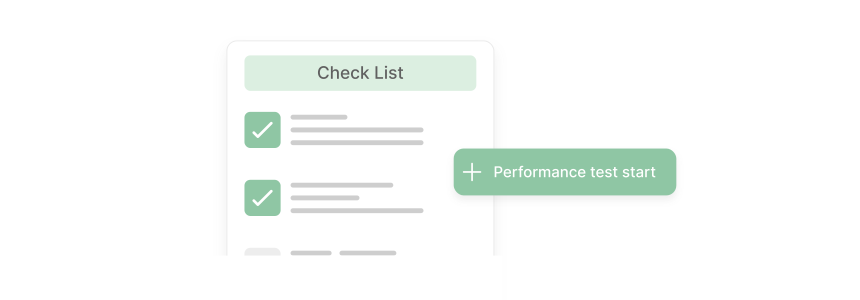
Before moving code from staging to production, verify every item:
- Clone the production database to your test environment
- Confirm all testing tools record data correct
- Pause health check and monitoring alerts
- Enable maintenance mode on the test environment
- Verify no integration feeds (ERP, PIM, CRM) run during tests
- Back up log files and add a "test start" marker
- Run the full test suite (unit → integration → functional → load)
- Compare results against your KPI acceptance criteria
- Document findings and create a deployment checklist
How MGT Commerce Supports Magento Testing

MGT Commerce provides infrastructure built for Magento testing workflows.
Staging environments on managed Magento hosting run on the same stack as production. Same PHP version, same database engine, same caching layer. No configuration drift between environments.
Zero-downtime deployment through MGT Code Deploy pushes tested code to production without taking your store offline. Atomic deployments mean every release either succeeds complete or rolls back automatic.
Auto-scaling infrastructure lets you run realistic load tests. Spin up additional capacity for stress testing, then scale back down. Pay for test infrastructure only when you use it.
Performance monitoring tools track response times, error rates, and resource usage across both staging and production. Compare staging benchmarks against production baselines to validate changes before release.
Magento 2.4.8 System Requirements for Test Servers
Your test server must match production specifications. Magento 2.4.8 (released April 8, 2025, with security patch 2.4.8-p4 on March 10, 2026) requires:
| Component | Supported Versions |
|---|---|
| PHP | 8.3, 8.4 |
| MySQL | 8.0, 8.4 LTS |
| MariaDB | 11.4 LTS |
| OpenSearch | 2.x (recommended) |
| Elasticsearch | 7.x, 8.x (deprecated) |
| Redis | 7.2 |
| Varnish | 7.x |
| Composer | 2.7+ |
Regular support for the 2.4.8 release line ends April 11, 2028. Plan your test environments around these versions.
Minimum hardware for staging: 16 GB RAM, 4 CPU cores, SSD storage. Production-equivalent testing needs 32 GB RAM or more, matching your live server configuration.
Pros and Cons of Running a Dedicated Test Server
FAQ
What is the minimum server spec for a Magento test environment?
For basic functional testing, 8 GB RAM and 2 CPU cores work. For load testing that produces meaningful results, match your production specs: 16 to 32 GB RAM, 4+ CPU cores, and SSD storage. Underpowered test servers give misleading performance data.
How often should I sync my staging database with production?
Sync before every major test cycle. For teams deploying weekly, a weekly database sync keeps staging realistic. Sanitize customer data (emails, passwords, payment info) before copying to staging. Magento provides bin/magento support:utility:paths for identifying sensitive data locations.
Can I run performance tests on shared hosting?
Shared hosting lacks the isolation needed for accurate performance testing. Other tenants on the same server create unpredictable resource contention. Use dedicated or cloud infrastructure for any test that measures response times or throughput.
What is the difference between MFTF and PHPUnit in Magento testing?
MFTF (Magento Functional Testing Framework) tests the storefront and admin panel through browser automation. PHPUnit handles unit tests (isolated logic), integration tests (module interaction), and API tests (endpoint validation). Use both: MFTF for user-facing workflows, PHPUnit for code-level validation.
How do I test Magento extensions before installing on production?
Install the extension on your staging server first. Run the full test suite to check for conflicts. Test checkout, payment processing, and admin functions manual. Check PHP error logs for warnings or notices. Only move to production after staging validation passes with zero errors.
Should I use Docker or a dedicated server for Magento testing?
Docker works best for local development and CI/CD pipelines where reproducibility matters. Dedicated staging servers work best for performance testing, load testing, and pre-deployment validation. Most teams use both: Docker for daily development, a staging server for release validation.
How do I generate realistic test data in Magento?
Use the built-in Performance Toolkit: bin/magento setup:performance:generate-fixtures setup/performance-toolkit/profiles/ce/medium.xml. This creates products, categories, customers, and orders matching the selected profile. For custom data volumes, copy a profile XML and adjust the fixture counts.
What tools replace the deprecated AOE Profiler for Magento?
Blackfire and Tideways are the current standard for Magento profiling. Blackfire provides on-demand profiling with flame graphs and call traces. Tideways offers continuous monitoring with lower overhead. Both integrate with Magento 2.4.x and support PHP 8.3/8.4.
Summary
A Magento test server protects your live store from untested code, broken extensions, and failed database migrations. Set up staging environments that mirror production, run automated tests through CI/CD pipelines, and profile performance with Blackfire before every release.
The investment in testing infrastructure pays back with fewer production incidents, faster deployments, and confidence that your store handles peak traffic without failures. Start with a basic staging server and add automated testing as your deployment frequency grows.
For staging environments that match production specifications and support zero-downtime deployments, explore managed Magento hosting with built-in testing infrastructure.
