

How to Learn Magento 2 Development: A Practical Roadmap
[Updated: March 05, 2026]
Server errors at 2 AM teach Magento faster than any course. But a structured roadmap prevents most of those nights.
This guide maps out what to learn, in what order, and which resources save time. From PHP prerequisites to your first custom module and beyond.
Key Takeaways
- Start with PHP 8.3+, MySQL 8.0 or MariaDB 11.4, Linux basics, and Composer before touching Magento code
- Follow a phased roadmap: environment setup, architecture, modules, themes, advanced topics
- Build real projects from week one instead of reading documentation end to end
- Use Adobe DevDocs as your primary reference and the Magento community for troubleshooting
- Magento developers earn $80K to $160K per year in the US, with freelance rates of $60 to $150 per hour
What is Magento 2 Development?
Magento 2 (now Adobe Commerce) is a PHP-based e-commerce platform powering over 150,000 online stores. Development covers three areas:
- Backend development: Modules, APIs, business logic, database schema, plugins
- Frontend development: Themes, layouts, templates, CSS/LESS, JavaScript/Knockout.js
- Full-stack: Both backend and frontend plus DevOps (deployment, caching, server config)
Most beginners start with backend module development. The learning curve is steep compared to platforms like Shopify or WooCommerce. Magento uses dependency injection, XML configuration, and a layered architecture that demands structured learning.
Prerequisites You Need First
Skip these and you will struggle. Magento builds on top of established technologies. Learn them before diving into Magento code.
| Skill | Level Needed | Why |
|---|---|---|
| PHP 8.3+ | Intermediate | Magento core is PHP. Classes, interfaces, namespaces, traits |
| MySQL 8.0 / MariaDB 11.4 | Basic | Database queries, joins, schema design |
| Linux/CLI | Basic | Server navigation, file permissions, package management |
| Git | Basic | Version control for every project |
| Composer 2.8+ | Basic | PHP dependency manager. Magento uses it for everything |
| OOP Concepts | Solid | Inheritance, polymorphism, design patterns (Factory, Observer, Singleton) |
| XML | Basic | Magento configuration relies on XML files |
Time estimate: If you know PHP and OOP, start Magento right away. If not, invest 4 to 8 weeks on PHP fundamentals first.
The Magento 2 Learning Roadmap
Phase 1: Set Up Your Environment (Week 1 to 2)
Your first task: get Magento running on your machine. Three common approaches:
- Docker with Warden is the most popular choice among Magento developers. Warden provides a pre-configured Docker environment with Nginx, PHP-FPM, MySQL, Redis, OpenSearch, and Varnish. One command sets up everything.
- Manual Linux setup on Ubuntu or Debian gives you more control and deeper understanding. Install each service and configure it. Good for learning what each component does.
- Cloud development environment through a managed Magento hosting provider. Zero local setup. Access from any machine.
System requirements for Magento 2.4.8+ (2026):
| Component | Version |
|---|---|
| PHP | 8.3 or 8.4 (recommended) |
| Database | MySQL 8.0 or MariaDB 10.6/11.4 |
| Search | OpenSearch 2.x |
| Cache | Redis 7.x or Valkey 8 |
| Composer | 2.8+ |
| RAM | 4GB minimum, 8GB+ recommended |
Magento 2.4.8 (stable since April 2025) has regular support through April 2028. 2.4.9-alpha releases have been available since 2025; the stable 2.4.9 release is planned for May 2026 (annual full patch with features and security). PHP 8.4 is the recommended version since PHP 8.2 security support ends in December 2026.
Once Magento is running, log into the admin panel at /admin and explore the interface. Create a test product. Place a test order. Understanding the storefront before writing code makes everything easier.
Exploring the Admin Panel
The Magento admin panel is where you manage every aspect of the store. Spend time clicking through each section before writing code. Here are the key areas every developer needs to know:
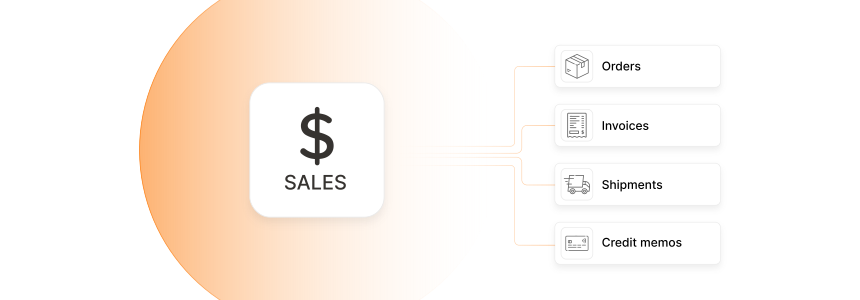
Sales section handles orders, invoices, shipments, and credit memos. This is where store owners spend most of their time.
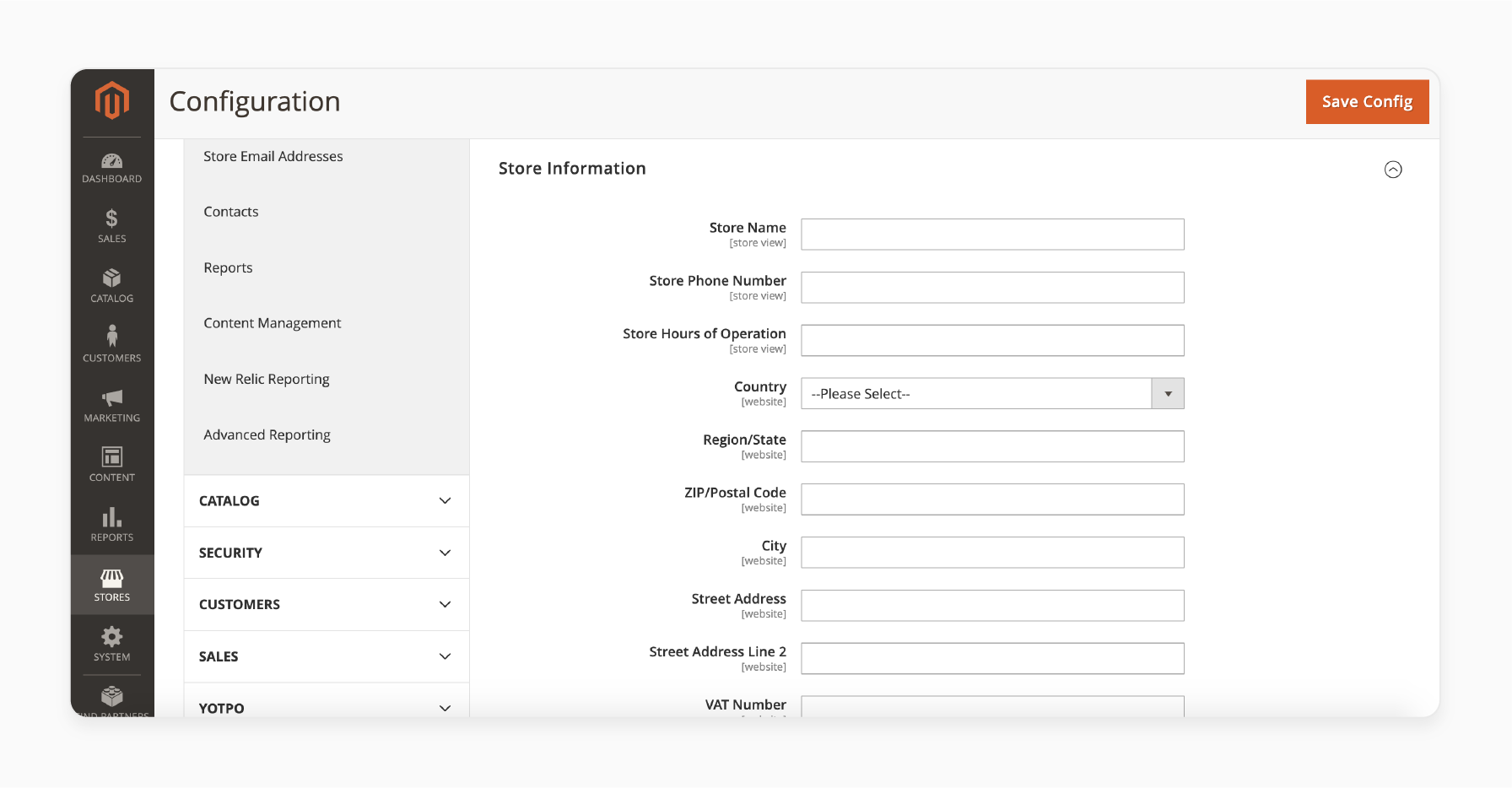
Store Information is the first configuration most stores need. Navigate to Stores → Configuration → General → Store Information to set the store name, phone number, address, and country.
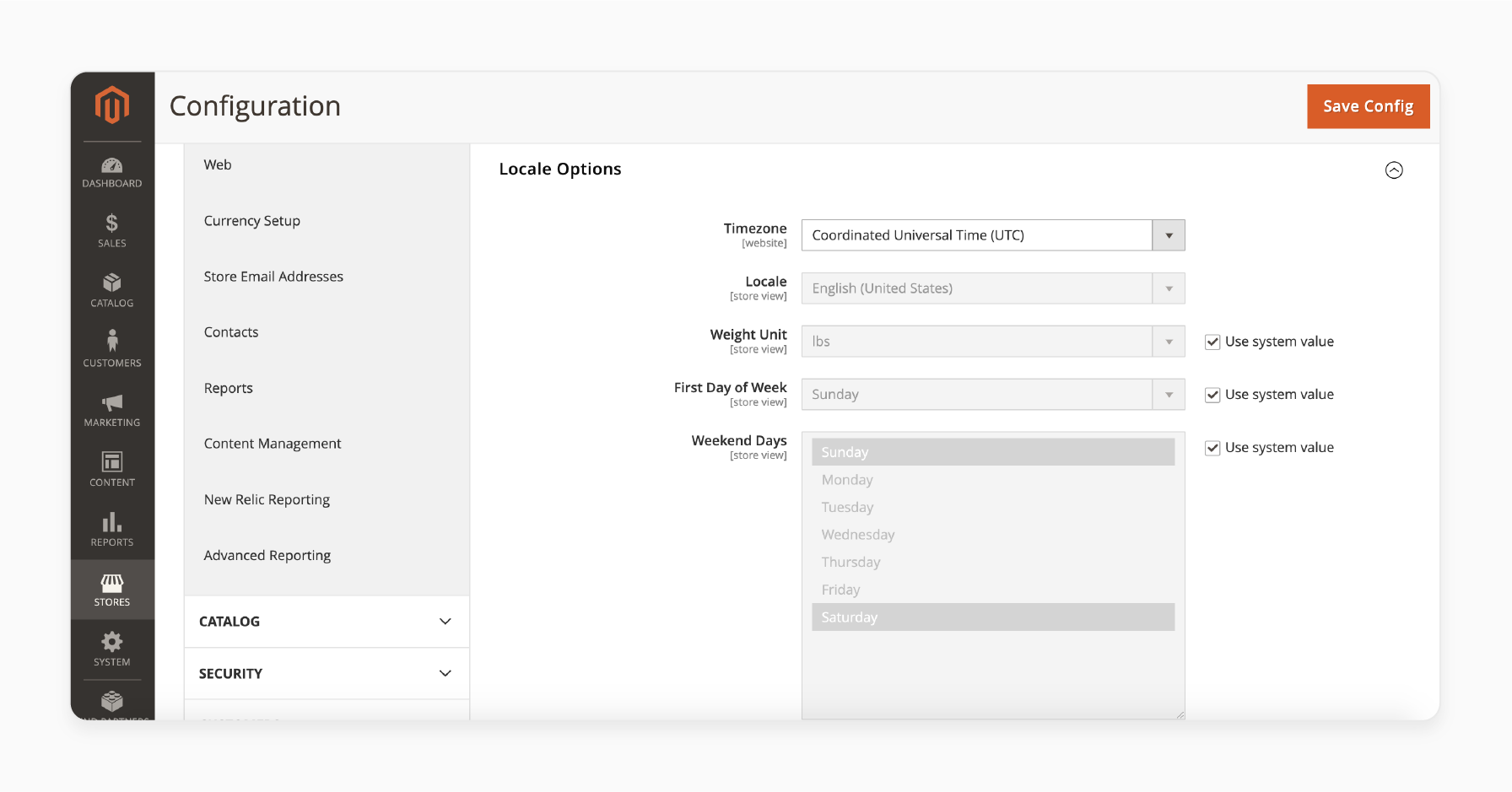
Locale Options control timezone, language, weight units, and weekend days. Find this under Stores → Configuration → General → Locale Options.
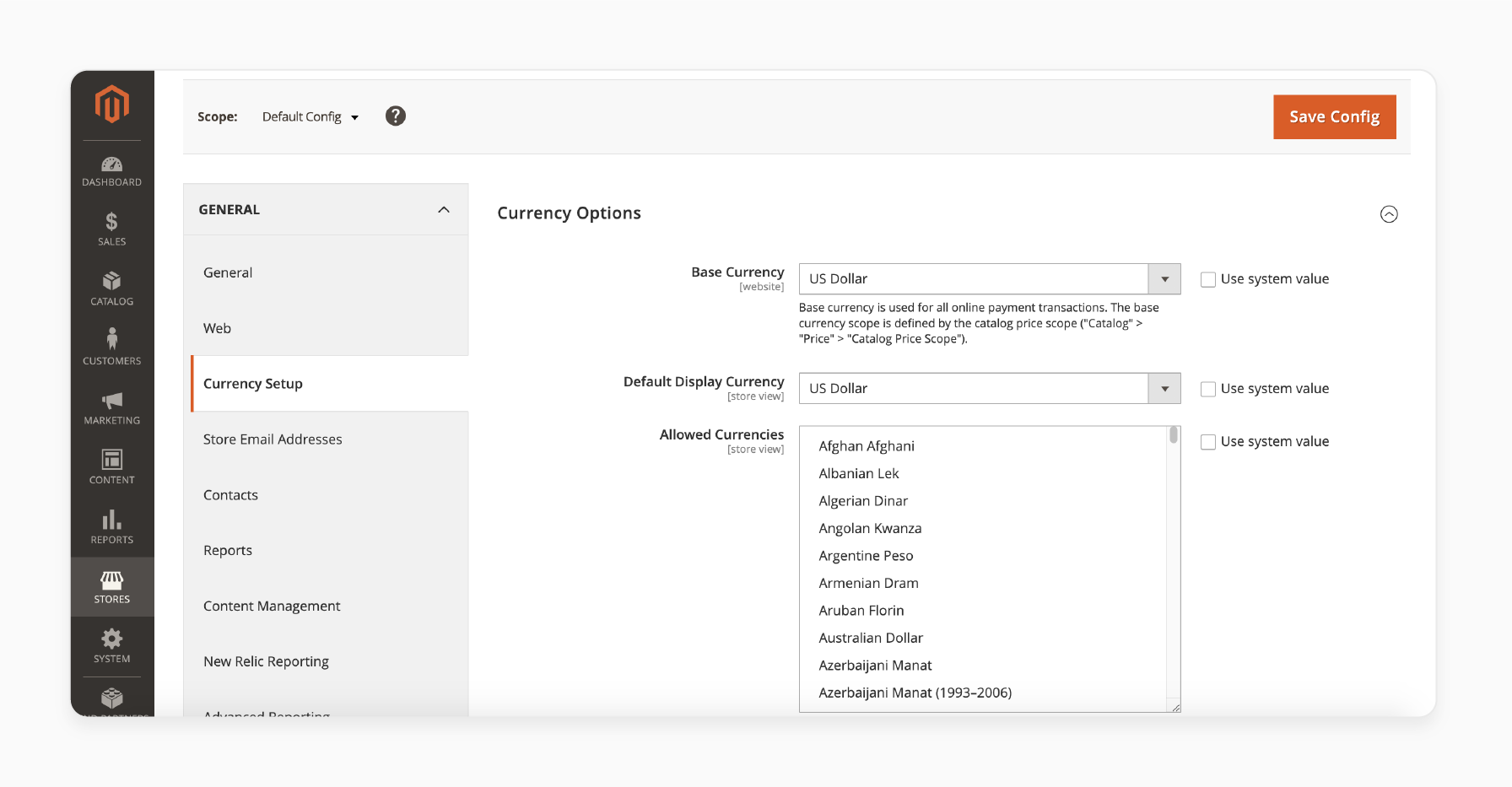
Currency Setup defines the base currency, display currency, and allowed currencies for the store. Navigate to Stores → Configuration → General → Currency Setup.
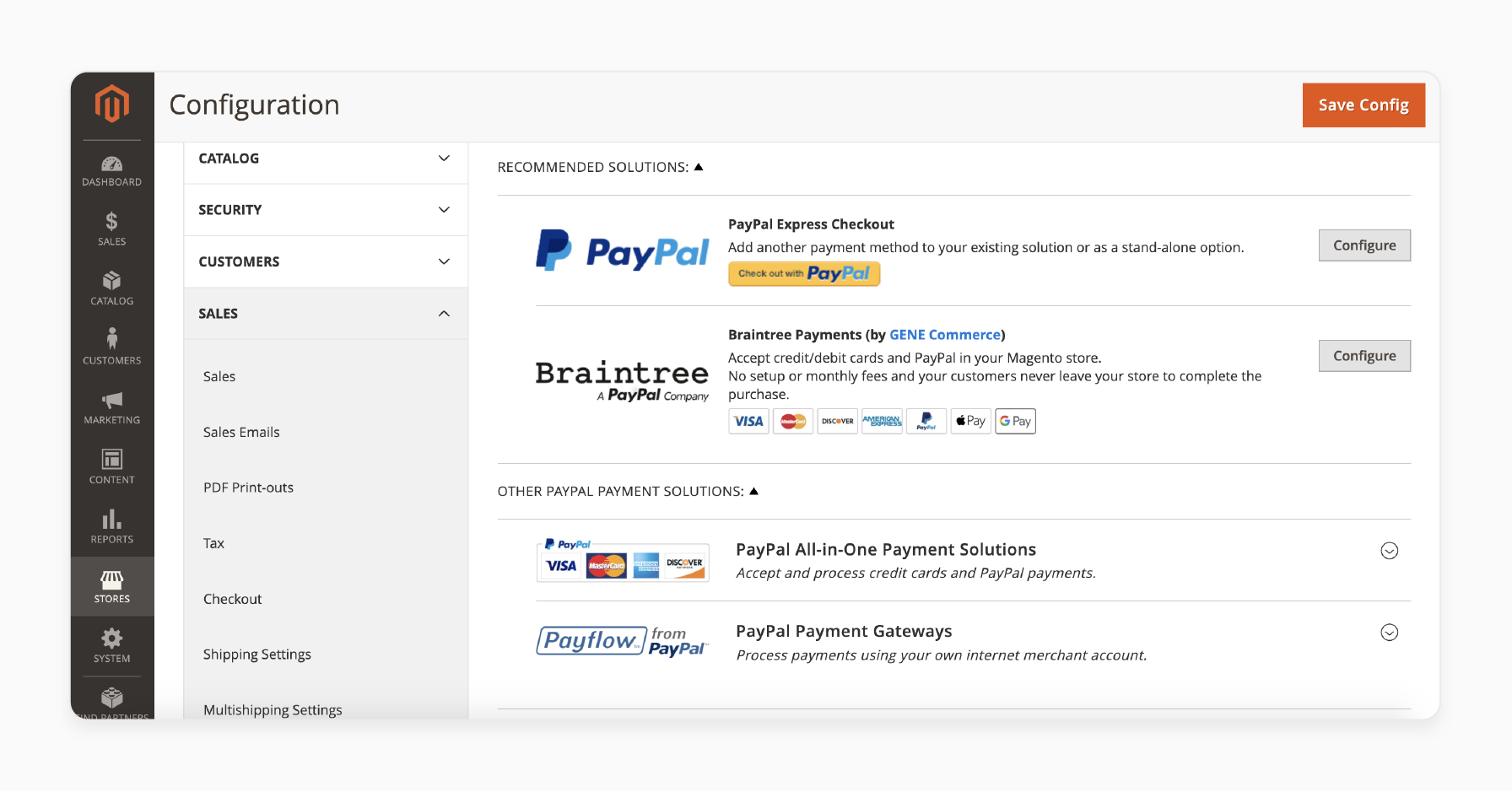
Payment Methods are configured under Stores → Configuration → Sales → Payment Methods. Magento ships with PayPal and Braintree integrations out of the box. Third-party extensions add Stripe, Klarna, and other providers.
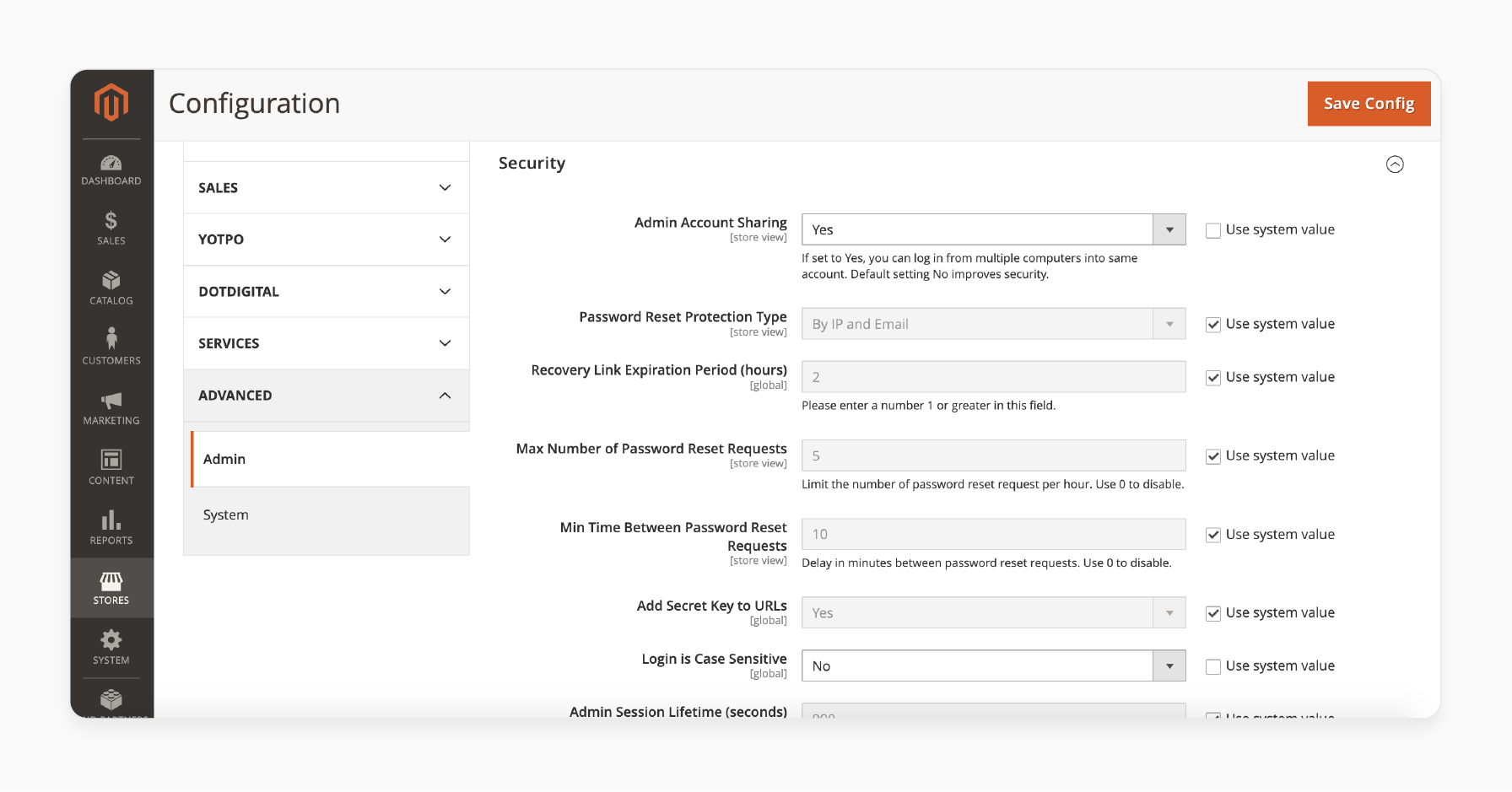
Security Settings protect the admin panel. Under Stores → Configuration → Advanced → Admin → Security, configure session lifetime, password requirements, and account sharing rules.
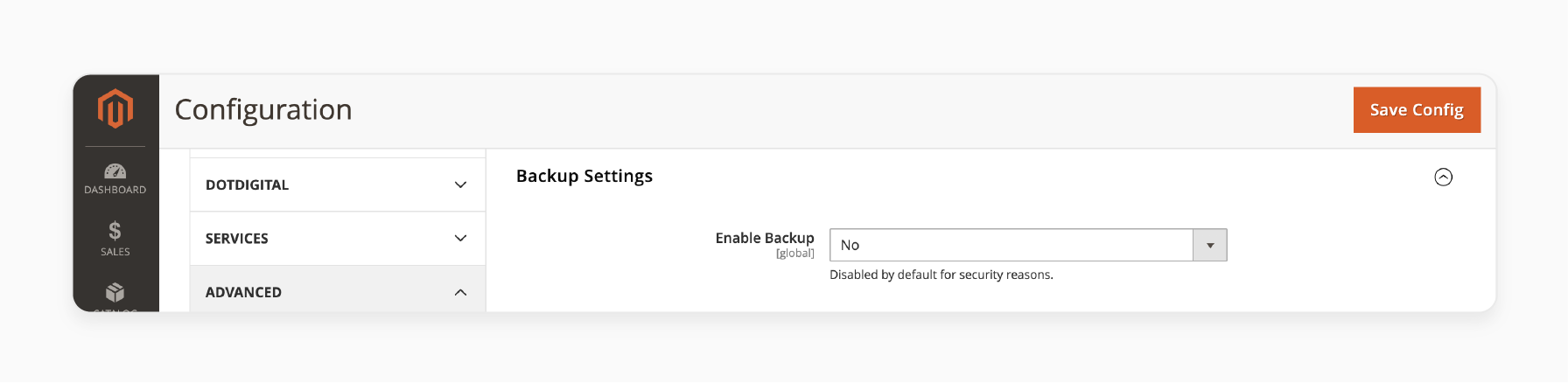
Backup Settings are found under Stores → Configuration → Advanced → System → Backup Settings. Magento's built-in backup is disabled by default. For production stores, use server-level backups or your hosting provider's backup solution instead.
Phase 2: Learn Magento Architecture (Week 3 to 4)
Magento's architecture is what makes it both powerful and complex. Focus on these five concepts:
Modules are the building blocks. Every feature in Magento is a module. Your custom code lives in app/code/Vendor/ModuleName/. Each module has a registration file, configuration XML, and organized directories for Models, Controllers, and Views.
Dependency Injection (DI) is how Magento manages object creation. Instead of creating objects with new, you declare dependencies in constructors. Magento's ObjectManager handles the rest. Master this concept early. It appears in every module.
Plugins (Interceptors) let you modify method behavior without editing core files. Three types: before, after, and around. Use them to extend third-party modules without creating conflicts.
Observers and Events provide a publish-subscribe pattern. Magento dispatches events at key moments (order placed, product saved, customer login). Your observer listens and executes custom logic.
Layouts and Templates control the frontend. Layout XML files define page structure. PHTML templates render HTML. Understanding the layout system unlocks theme customization.
Phase 3: Build Your First Module (Week 5 to 8)
Stop reading. Start building. Create a simple module that adds a custom page to the storefront.
Minimum files needed:
app/code/Vendor/HelloWorld/
├── registration.php
├── etc/
│   ├── module.xml
│   └── frontend/
│       └── routes.xml
├── Controller/
│   └── Index/
│       └── Index.php
└── view/
    └── frontend/
        ├── layout/
        │   └── vendor_helloworld_index_index.xml
        └── templates/
            └── hello.phtml
Register the module, define a route, create a controller that returns a page, and render output through a template. This covers 80% of what you need to know about module structure.
Once your Hello World module works, build something real: a product review widget, a custom shipping method, or an admin grid. Real projects teach faster than exercises. For a detailed walkthrough, see our guide on creating a custom Magento 2 module.
Phase 4: Theme Customization (Week 9 to 10)
Frontend work in Magento follows a strict hierarchy. Create a child theme (never modify the parent) and learn to:
- Override layout XML to rearrange page elements
- Create custom templates for specific blocks
- Add CSS/LESS for styling
- Work with Require.js for JavaScript components
Magento ships with two base themes: Luma (classic) and Blank (minimal). Build on Blank for clean projects.
For new and migrated projects in 2026, the Hyvä theme is the preferred frontend solution. It replaces Knockout.js and Require.js with Alpine.js and Tailwind CSS, improves Core Web Vitals scores, and makes JavaScript development far simpler. Hyvä licensing starts at around €1,000 one-time plus support. Learning Hyvä alongside Luma gives you the broadest job market coverage.
Phase 5: Advanced Topics (Week 11+)
After modules and themes, expand into:
- REST and GraphQL APIs for headless commerce and integrations
- Cron jobs for scheduled tasks (import, export, cleanup)
- Message queues (RabbitMQ) for async processing
- Performance optimization including Full Page Cache, Varnish, and Redis/Valkey
- Testing with PHPUnit (unit tests) and MFTF (functional tests)
- Deployment pipelines with zero-downtime strategies
Essential CLI Commands
Every Magento developer uses these commands on a daily basis:
| Command | Purpose |
|---|---|
bin/magento setup:upgrade |
Apply module schema changes |
bin/magento setup:upgrade --keep-generated |
Upgrade without clearing generated code |
bin/magento setup:di:compile |
Generate dependency injection config |
bin/magento setup:static-content:deploy |
Build frontend assets |
bin/magento cache:clean |
Clear specific cache types |
bin/magento cache:flush |
Flush all caches |
bin/magento indexer:reindex |
Rebuild search and catalog indexes |
bin/magento deploy:mode:set developer |
Enable verbose errors and auto-generation |
bin/magento module:enable Vendor_Module |
Activate a custom module |
Run bin/magento list to see all available commands. Always switch to developer mode (deploy:mode:set developer) during development. It shows detailed error messages, generates missing dependency injection files on the fly, and disables static content caching.
Debugging and Troubleshooting
Debugging Magento requires proper tooling. Do not rely on var_dump and die.
Xdebug 3 with PHPStorm is the standard setup. Set breakpoints, inspect variables, step through code. Configure it in your php.ini:
xdebug.mode=debug
xdebug.start_with_request=yes
xdebug.client_port=9003
Log files live in var/log/. Check system.log for general errors and exception.log for stack traces. Enable debug logging in the admin under Stores → Configuration → Advanced → Developer.
For more debugging approaches, see our Magento 2 logging and debugging guide.
Best Learning Resources in 2026
| Resource | Type | Best For |
|---|---|---|
| Adobe DevDocs | Official Docs | API reference, architecture guides |
| Adobe Experience League | Video Tutorials | Best practices, step-by-step walkthroughs |
| m.academy | Paid Course (700+ lessons) | Structured learning path, beginner to advanced |
| Hyvä Docs | Official Docs | Frontend development with Alpine.js + Tailwind |
| Max Pronko (YouTube) | Free Videos | Practical module development tutorials |
| Mark Shust (Blog + Course) | Blog + Paid Course | Docker setup, certification prep |
| SwiftOtter Study Guide | Certification Prep | Exam prep, deep architecture dives |
| Mage-OS | Open Source Fork + Docs | Community-driven Magento fork, active in 2026 |
| Magento Stack Exchange | Q&A Community | Troubleshooting specific issues |
The fastest path: Read a concept in DevDocs, then build it. Reading without building wastes time. The architecture concepts only click when you see them in action. For Hyvä frontend work, start with the Hyvä Docs before touching Luma templates. Join the Magento Community Engineering Slack for real-time troubleshooting and community support.
Magento Developer Career Outlook
United States (2026)
| Role | Salary Range | Experience |
|---|---|---|
| Junior Magento Developer | $80K to $110K/year | 0 to 2 years |
| Mid-Level Developer | $100K to $130K/year | 2 to 5 years |
| Senior Developer | $120K to $160K/year | 5+ years |
| Freelance/Contract | $60 to $150/hour | Varies |
Average Magento developer salary: about $106K (ZipRecruiter, March 2026) to $117K (Glassdoor). High-cost areas like Seattle push averages above $140K.
Europe (2026)
| Role | Salary Range (EUR) |
|---|---|
| Junior | €50K to €70K/year |
| Mid-Level | €65K to €90K/year |
| Senior | €80K to €120K+/year |
Adobe Commerce certification (AD0-E722 for backend, AD0-E720 for frontend) adds credibility and can boost rates by 15% to 30%. The exam covers all core concepts from this roadmap. Despite the growth of headless commerce, Magento remains dominant for mid-to-high volume stores, and the developer shortage keeps compensation strong.
Why Your Development Environment Matters
Development speed depends on your hosting setup. A slow local environment means slow feedback loops. Every cache flush, reindex, and deploy that takes 30 seconds instead of 5 compounds across hundreds of daily iterations.
Options for speeding up your Magento development workflow:
- Local Docker works for solo development. Requires 8GB+ RAM on your machine.
- Remote dev server on cloud infrastructure eliminates local resource limits. Teams can share environments.
- Managed staging environments mirror production. Test deployments, performance, and integrations on real infrastructure before going live.
Choose based on team size, project complexity, and budget. For production stores, managed hosting handles server tuning, security patches, and scaling so developers focus on code.
FAQ
What programming languages does Magento 2 use?
Magento 2 uses PHP for backend logic, XML for configuration, HTML/PHTML for templates, CSS/LESS for styling, and JavaScript (Knockout.js, Require.js) for frontend interactivity. The Hyvä theme replaces the JavaScript stack with Alpine.js and Tailwind CSS.
How long does it take to learn Magento 2 development?
With prior PHP experience, expect 3 to 6 months to become productive. Without PHP knowledge, add 2 to 3 months for fundamentals. Full proficiency for complex projects takes 12 to 18 months of active development.
Is Magento 2 development still worth learning in 2026?
Yes. Adobe Commerce shifted to annual full-patch releases in 2026, with stronger focus on security and compatibility. This makes the platform more stable and predictable for long-term projects. Magento remains the go-to platform for mid-to-high volume stores that need custom solutions. The developer shortage keeps demand and salaries high. Magento skills transfer to general PHP, e-commerce architecture, and API development knowledge.
What is the difference between Magento Open Source and Adobe Commerce?
Magento Open Source is free and covers core e-commerce features. Adobe Commerce adds B2B tools, SaaS services (Payment Services, Catalog Service), AI features (Live Search, Product Recommendations), and cloud hosting. Licensing is revenue-based, starting around $2,000 per month.
Do I need Linux to develop Magento 2?
Linux or macOS is recommended. Windows works with WSL2 (Windows Subsystem for Linux) and Docker. Native Windows development causes file permission and performance issues. Most production servers run Linux.
What is the best IDE for Magento 2 development?
PHPStorm with the Magento 2 plugin. It provides code completion for DI, plugin methods, layout XML, and event observers. VS Code with PHP Intelephense works as a free alternative but lacks Magento-specific features.
How do I keep up with Magento updates?
Follow the Adobe Commerce release schedule (quarterly security patches, annual full-patch versions). Subscribe to the Adobe Commerce blog, join the Magento Community Engineering Slack, and monitor the security bulletin for patch notifications.
Can I learn Magento 2 without a computer science degree?
Yes. Magento development is skill-based. Self-taught developers with strong portfolios and certifications compete with degree holders. Focus on building real modules and contributing to open-source projects.
What is the hardest part of learning Magento 2?
The XML configuration system and Dependency Injection. Both feel abstract until you build several modules. The layout system is also challenging because small XML errors produce no output with no error messages in production mode.
Should I learn Magento Open Source or Adobe Commerce first?
Start with Magento Open Source. The core architecture is identical. Adobe Commerce adds features on top (B2B, SaaS services). Understanding the base platform makes learning Commerce-specific features straightforward.
