How Magento Cache Works: Cache Types, Request Flow, and Performance
[Updated: March 23, 2026]
Magento cache saves pre-built pages and data so your store loads fast without regenerating content for every visitor. A misconfigured cache tanks performance. A proper setup cuts page load times from seconds to milliseconds.
This guide breaks down how the Magento cache system works at every layer.
Key Takeaways
- Magento uses 17 cache types that store configuration, layouts, blocks, and full pages
- Full page cache with Varnish serves pages in under 200ms without PHP execution
- Redis 7.2 and Valkey 8 provide in-memory cache storage for Magento 2.4.8
- Cache tags enable automatic invalidation when products, categories, or settings change
- Public content is cached server-side while private content loads via browser JavaScript
- Proper cache configuration has the single largest impact on Magento store performance
What is Magento Cache?
Magento cache = a multi-layer storage system that saves pre-built pages, database queries, and configuration data. Serves stored content in milliseconds instead of regenerating it from scratch on every request.
Without cache: Every page request triggers PHP execution, database queries, and template rendering (2-5 seconds per page)
With cache: Pre-built content served direct from memory or disk (under 200ms)
Magento 2 uses caching at multiple levels. The configuration cache stores XML settings. The layout cache stores compiled page structures. The full page cache stores entire HTML pages. Each layer eliminates redundant work and reduces the load on your database and PHP processes.
The cache system in Magento 2.4.8 supports PHP 8.4, Redis 7.2, Varnish 7.6, and OpenSearch 2.19. These components work together to serve thousands of concurrent visitors without performance degradation.
How the Magento Cache Request Flow Works
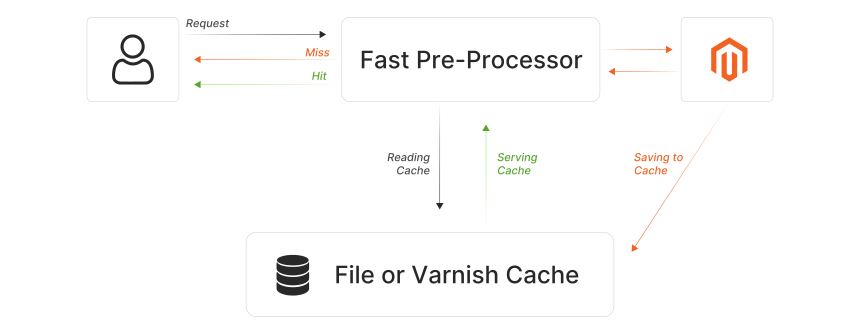
Every page request in Magento follows a specific path through the cache system. Understanding this flow reveals where performance gains happen and where bottlenecks occur.
1. Request Arrives
A visitor requests a page. The request hits either the built-in PHP cache handler or Varnish (if configured as a reverse proxy). This is the first decision point.
2. Cache Lookup
The cache handler checks if a valid, non-expired copy of the requested page exists in the cache. It uses a unique cache key based on the URL, store view, customer group, and currency. This lookup takes microseconds.
3. Cache Hit (Fast Path)
If a valid cached page exists, Magento serves it direct. With the built-in cache, a small PHP bootstrap checks the cache storage and returns the HTML. With Varnish, the page is served without any PHP execution at all. This is the fast path, delivering pages in under 200ms.
4. Cache Miss (Slow Path)
If no cached version exists, Magento runs the full rendering pipeline. It loads configuration, executes controllers, queries the database, assembles layout XML, renders blocks and templates, and builds the final HTML. This process takes 2-5 seconds depending on page complexity and server resources.
5. Store and Serve
After generating the page, Magento stores the HTML output in the cache with appropriate cache tags. The page is then served to the visitor. The next request for the same page hits the fast path.
The 17 Magento 2 Cache Types
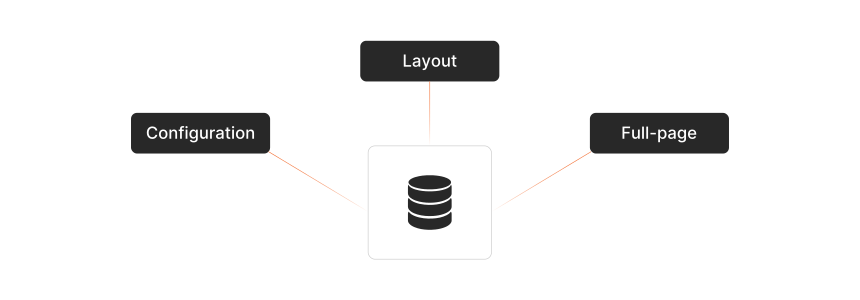
Magento 2.4.8 uses 17 distinct cache types. Each one stores a different category of data and can be enabled, disabled, or cleared independent of the others.
| Cache Type | ID | What It Stores |
|---|---|---|
| Configuration | config |
Merged XML configuration from all modules |
| Layouts | layout |
Compiled page layout structures |
| Block HTML | block_html |
Rendered HTML fragments for individual blocks |
| Collections | collections |
Database query results for product and category collections |
| Reflections | reflection |
API interface reflection data |
| Database DDL | db_ddl |
Database schema information |
| Compiled Config | compiled_config |
Merged and compiled configuration |
| Webhooks Response | webhooks_response |
Cached webhook request responses |
| EAV | eav |
Entity attribute metadata and declarations |
| Customer Notification | customer_notification |
User interface notifications |
| GraphQL Resolver | graphql_query_resolver_result |
Cached GraphQL query results |
| Integrations Config | config_integration |
Integration configuration data |
| Integrations API | config_integration_api |
Compiled integration API configurations |
| Admin UI SDK | admin_ui_sdk |
Admin panel customizations |
| Full Page Cache | full_page |
Complete rendered HTML pages (FPC) |
| Web Services Config | config_webservice |
Web API structure definitions |
| Translations | translate |
Merged translation files |
The most impactful cache type for frontend performance is full_page. It stores the entire HTML output and eliminates the need for PHP processing on subsequent requests. The config and layout caches affect every page load because Magento reads configuration and layout data on every request that misses the FPC. Adobe maintains a complete cache type reference with configuration details for each type.
Full Page Cache: Built-in vs Varnish
Magento offers two full page cache backends. The choice between them determines how cached pages are served to visitors.
Built-in FPC
The built-in cache uses a PHP reverse proxy. When a request arrives, a lightweight PHP bootstrap checks if a cached version exists before loading the full Magento framework. If the page is cached, PHP serves it and exits. This is faster than a full page render but still requires PHP execution for every request.
Default TTL: 86,400 seconds (24 hours). Configurable in Admin under Stores > Configuration > Advanced > System > Full Page Cache.
Varnish FPC
Varnish is an HTTP accelerator that sits in front of your web server. It serves cached pages without touching PHP or the web server at all. This makes Varnish the faster option by a wide margin. It handles thousands of requests per second on modest hardware.
Magento 2.4.8 supports Varnish 7.6. Adobe recommends Varnish as the production FPC backend for any store that handles more than a few hundred visitors per hour.
| Feature | Built-in FPC | Varnish FPC |
|---|---|---|
| PHP execution required | Yes (lightweight) | No |
| Concurrent request handling | Hundreds | Thousands |
| Edge Side Includes (ESI) | No | Yes |
| Recommended for | Development, small stores | All production stores |
| Magento 2.4.8 version | N/A | 7.6 |
Cache Backend Options: File System, Redis, and Valkey
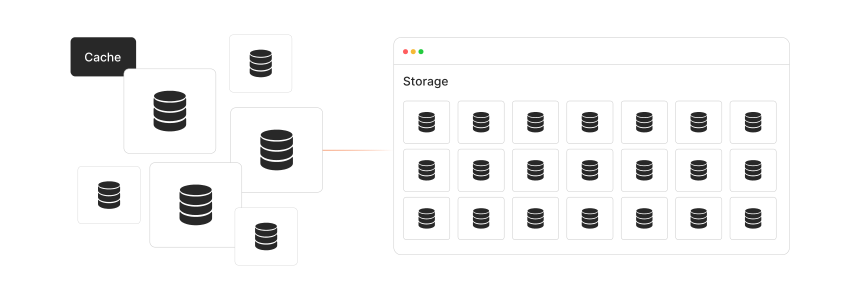
The cache backend determines where Magento stores cached data. This is separate from the FPC backend. The cache backend handles all 17 cache types plus session storage.
File System (Default)
Magento stores cache files in the var/cache/ directory. This works for development and small stores. File-based cache becomes a bottleneck on high-traffic stores because disk I/O is slower than memory access, and file locking can cause contention under load.
Redis
Redis caching stores all cache data in memory. Memory access is orders of magnitude faster than disk. Redis has built-in support for cache tags, which makes cache invalidation efficient. Magento 2.4.8 supports Redis 7.2.
Redis handles both the default cache backend and session storage. A production setup should use separate Redis instances for cache and sessions to avoid memory contention.
Valkey
Valkey is a Redis-compatible fork supported since Magento 2.4.8. It offers the same in-memory performance with a different governance model. Magento supports Valkey 8.
Public vs Private Content
Magento separates all page content into two categories. Understanding this distinction explains why some elements are cached and others are not.
Public Content
Public content is identical for all visitors. Category listings, product pages, CMS pages, headers, and footers are all public. Magento caches this content server-side through the FPC. One cached copy serves every visitor.
Private Content
Private content is specific to individual users. Shopping cart contents, wishlist items, customer names, and viewed products are all private. Magento stores private content client-side in the browser using JavaScript and localStorage. This content is never part of the server-side cache.
When a cached public page loads, JavaScript sections on the page fetch private content from Magento via AJAX. This approach lets Magento serve the same cached HTML to everyone while showing personalized elements to each user.
Marking Pages as Uncacheable
Any page that contains a block with cacheable="false" in the layout XML becomes uncacheable. The checkout pages are uncacheable by default. Adding cacheable="false" to any block on a page makes the entire page uncacheable, so use this attribute with caution.
Cache Invalidation and Tags
Magento uses cache tags to track which cache entries relate to which data. This system ensures that changes to a product or category invalidate the correct cached pages without clearing the entire cache.
How Tags Work
Every cached entry is tagged with identifiers. A product page for product ID 42 gets tagged with cat_p_42. The category page showing that product also gets this tag. When you edit product 42, Magento invalidates all cache entries tagged with cat_p_42. This removes the product page and every category page that displays the product.
Automatic Invalidation
Magento triggers cache invalidation when you:
- Save a product, category, or CMS page
- Change store configuration
- Run a reindex
- Install or update an extension
- Modify layout XML files
The Admin panel shows invalidated cache types with a yellow warning bar. Invalidated cache entries are not served to visitors. Magento regenerates the page on the next request.
Clean vs Flush
Flushing and clearing your cache are two distinct operations:
-
Clean (
bin/magento cache:clean): Removes cache entries by tag. Targets the specific cache type data. -
Flush (
bin/magento cache:flush): Removes all entries from the cache storage, including entries from other applications sharing the same backend.
For routine cache management, use clean. Reserve flush for troubleshooting or after major changes.
Cache Management: Admin Panel and CLI
Magento provides two interfaces for cache management.
Admin Panel
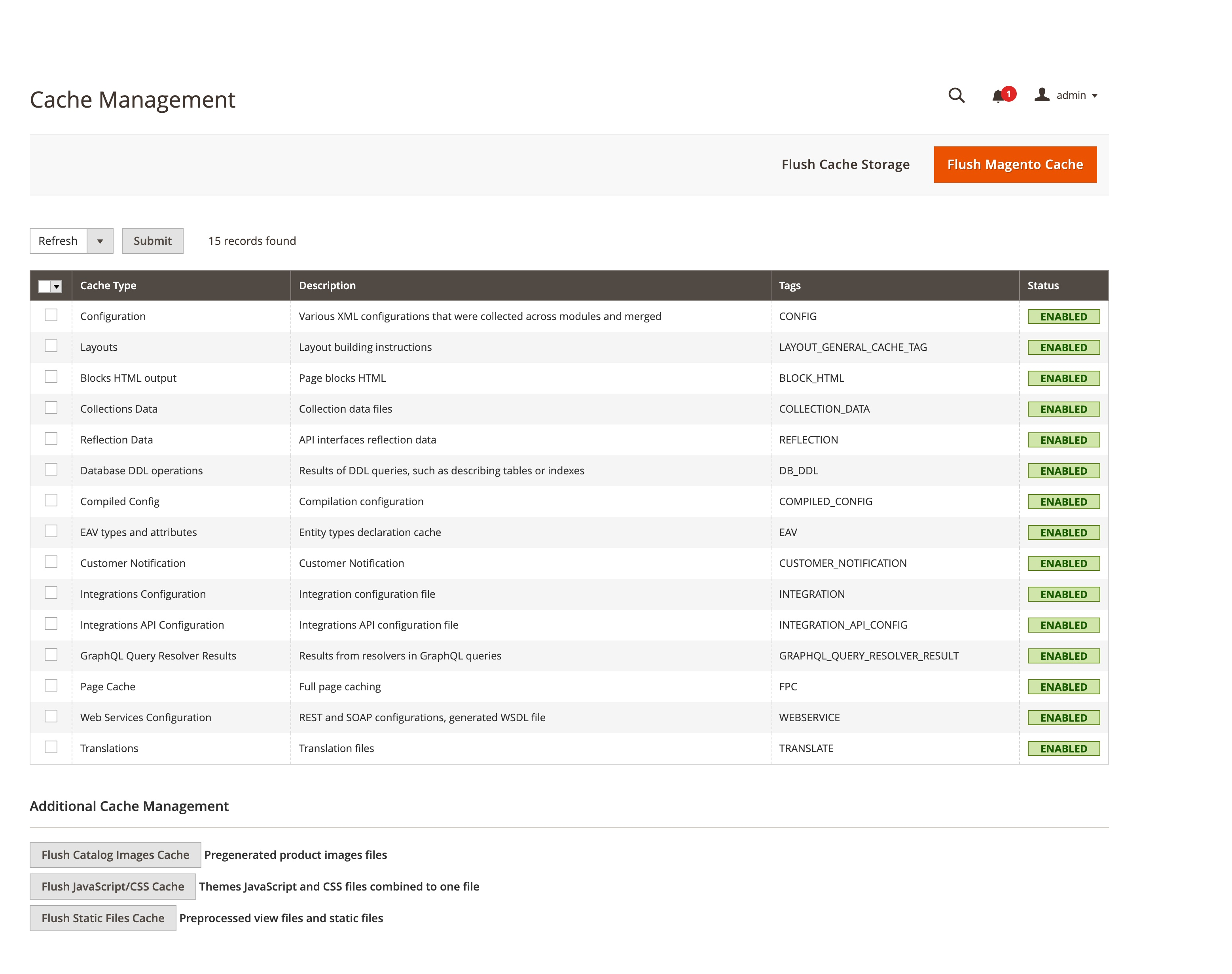
Navigate to System > Tools > Cache Management. This page shows the status of every cache type. You can enable, disable, refresh, or flush individual cache types. The page also provides buttons to flush catalog images and merged JavaScript/CSS files.
CLI Commands
| Command | Purpose |
|---|---|
bin/magento cache:status |
Show status of all cache types |
bin/magento cache:enable config |
Enable a specific cache type |
bin/magento cache:disable full_page |
Disable FPC |
bin/magento cache:clean |
Clean cache by tags |
bin/magento cache:flush |
Flush all cache storage |
The CLI is faster for automation and deployment scripts. Use it in CI/CD pipelines and deployment processes.
How Caching Improves Magento Store Performance
Cache configuration has the single largest impact on Magento store performance. Here is what each cache layer contributes.
Page Load Speed

A cached page served through Varnish loads in under 200ms. The same page without cache takes 2-5 seconds. For stores with complex catalogs or many extensions, uncached load times can reach 8-10 seconds. CDN integration adds geographic distribution on top of caching, delivering cached content from servers close to the visitor.
Server Capacity
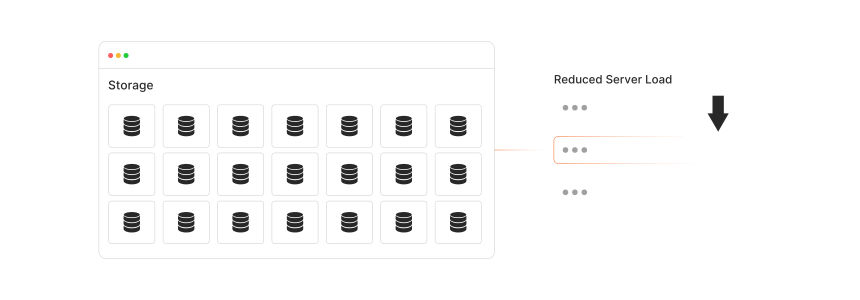
Caching reduces the number of PHP processes needed to handle traffic. Without cache, every visitor triggers a full Magento bootstrap. With Varnish, cached pages bypass PHP and free server resources for uncacheable pages like checkout. A single server with Varnish can handle traffic that would require multiple servers without it.
Database Load
The collections and config caches reduce database queries per page. A product listing page can trigger 50-100 database queries without cache. With the collections cache populated, Magento serves the same data from memory. This reduces database CPU usage and allows your database to handle more concurrent operations.
SEO Impact
Google uses page speed as a ranking factor. Core Web Vitals measure real-world loading performance. A well-cached Magento store with sub-second Time to First Byte (TTFB) scores higher on these metrics than a store that generates every page from scratch.
For stores that need optimal cache performance, managed Magento hosting includes pre-configured Varnish, Redis, and CDN setups tuned for Magento workloads.
FAQ
What is the default cache TTL in Magento 2?
The default full page cache Time to Live (TTL) is 86,400 seconds, which equals 24 hours. You can change this value in the Admin panel under Stores > Configuration > Advanced > System > Full Page Cache. Set a shorter TTL for content that updates often and a longer TTL for static pages.
What is the difference between Varnish and Redis in Magento?
Varnish and Redis serve different purposes. Varnish is a full page cache that sits in front of the web server and serves complete HTML pages without PHP execution. Redis is a cache backend that stores application-level data like configuration, layout, block HTML, and sessions in memory. Most production stores use both: Varnish for FPC and Redis for the default cache backend.
How do I know if Magento is serving a cached page?
Check the HTTP response headers. Varnish adds an X-Cache header with HIT or MISS. The built-in cache adds an X-Magento-Cache-Debug header when debug mode is enabled. You can also check the page load time. Cached pages load in under 200ms while uncached pages take 2 or more seconds.
Does clearing cache affect my store's SEO?
No. Clearing the cache does not remove content or change URLs. After clearing, the first visitor to each page experiences a slower load while Magento rebuilds the cache. Subsequent visitors get the cached version. Schedule cache clears during low-traffic periods to minimize the impact on user experience.
Why does my Magento cache keep invalidating?
Frequent cache invalidation points to automated processes that modify data. Cron jobs, third-party integrations, inventory updates, and price imports all trigger invalidation. Check your cron schedule and integration logs to identify the source. Consider using cache warming to pre-populate the cache after expected invalidation events.
Can I cache checkout pages in Magento?
No. Checkout pages are uncacheable by default because they contain private, session-specific data. The cart contents, shipping calculations, and payment processing all require real-time data. Caching these pages would show incorrect information to visitors.
How much RAM does Redis need for Magento cache?
A Magento store with 10,000 to 50,000 products needs 1-4 GB of RAM for Redis cache storage. Large catalogs with multiple store views may need 4-8 GB. Monitor Redis memory usage with redis-cli info memory and set appropriate maxmemory policies to prevent memory exhaustion.
What happens when the cache storage is full?
When Redis reaches its memory limit, it evicts entries based on the configured eviction policy. The allkeys-lru policy removes the least accessed entries first, which works well for Magento cache. When file-based cache fills the disk, Magento performance degrades. Monitor storage usage and set appropriate limits.
Should I disable cache during development?
Disable the cache types that interfere with your work. Keep the config and layout caches enabled unless you are modifying configuration or layout files. Disable full_page and block_html when testing frontend changes. Run bin/magento cache:disable full_page block_html to target specific types without affecting others.
How does Magento handle cache for multiple store views?
Each store view generates separate cache entries. The cache key includes the store view identifier, so pages for store view "EN" and store view "DE" are cached independent. This means switching store views does not serve incorrect cached content, but it also means each store view needs its own cache warm-up.
Summary
Magento cache operates across multiple layers to deliver fast page loads. The 17 cache types cover everything from XML configuration to complete HTML pages. Varnish handles full page caching at the HTTP level, Redis stores application-level cache data in memory, and cache tags ensure precise invalidation when content changes.
The most effective production stack for Magento 2.4.8 combines Varnish 7.6 for FPC, Redis 7.2 for the default cache backend and sessions, and a CDN for geographic distribution. This combination delivers sub-200ms page loads for cached content while keeping the server free to process checkout and other dynamic pages.