

Magento 2 Extension Development: Build Custom Modules From Scratch
[Updated: March 6, 2026]
Building a Magento 2 extension sounds complex until you see the pattern. Every module follows the same file structure, the same registration flow, the same XML conventions.
This guide walks you through building a complete Magento 2 custom module from zero, with real code that works on Magento 2.4.8.
Key Takeaways
- Every Magento 2 extension starts with two files:
registration.phpandmodule.xml - Declarative Schema replaced install/upgrade scripts since Magento 2.3
- Plugins (interceptors) let you modify core behavior without editing source files
- A proper development stack uses PHP 8.3, Composer, and a staging environment before production
TL;DR
Magento 2 extension development = creating custom PHP modules that add or modify store functionality. Each module lives in
app/code/Vendor/Module/and follows strict file conventions.Perfect for: Store owners who need custom features, PHP developers building for the Marketplace, agencies extending client stores
Not ideal for: Non-technical store owners (hire a developer instead), simple changes that a config option already handles
What is a Magento 2 Extension?
A Magento 2 extension is a self-contained PHP module that plugs into the platform's architecture. Extensions can add new features, modify existing behavior, or integrate third-party services.
Magento's module system enforces separation of concerns. Each extension declares its own routes, database tables, configuration options, and frontend templates. This modular architecture means you can install, disable, or remove extensions without breaking the core system.
The Magento Marketplace hosts thousands of extensions. But custom development makes sense when no existing extension fits your business needs or when you need tight integration with internal systems.
Magento 2.4.8 Development Stack
Before writing code, set up a proper development environment. Magento 2 extension development requires a specific stack that matches the platform's requirements. This guide targets Magento 2.4.8 (released April 2025, supported until 2028). If you plan to upgrade to 2.4.9 (expected May 2026), test your extension in a staging environment before migrating.
Magento 2.4.8 requires:
| Component | Version | Notes |
|---|---|---|
| PHP | 8.3 or 8.4 | 8.3 recommended for broad extension compatibility. 8.4 support added natively in 2.4.8 |
| Composer | 2.8+ | Current stable: 2.9.x. Required for dependency management |
| MySQL | 8.4 / MariaDB 11.4 | InnoDB engine required |
| OpenSearch | 2.x / 3.x | Replaces Elasticsearch (deprecated). Migrate with bin/magento config:set catalog/search/engine opensearch |
| Redis / Valkey | 7.x / 8.x | Session and cache storage. Valkey 8.x supported as Redis alternative |
| RabbitMQ | 4.x | Message queues for async operations. Migrate to Quorum Queues for high availability |
Use the Magento CLI for module management, cache operations, and deployment commands throughout the development process.
Module File Structure
Every Magento 2 extension follows a predictable directory layout. Understanding this structure is the foundation of Magento 2 extension development. Each directory serves a specific purpose in the framework's architecture:
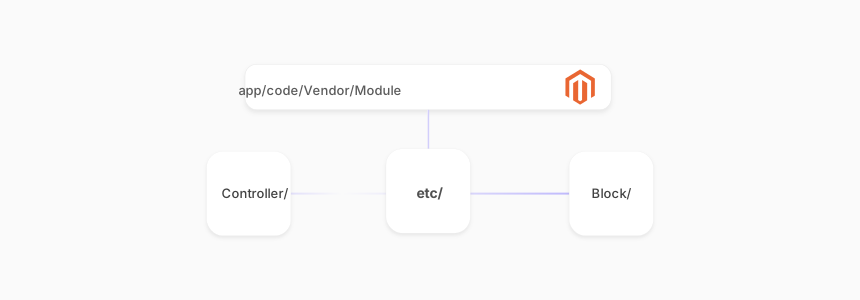
app/code/Vendor/Module/
├── registration.php
├── etc/
│   ├── module.xml
│   ├── di.xml
│   ├── events.xml
│   ├── routes.xml
│   └── db_schema.xml
├── Controller/
│   └── Index/
│       └── Index.php
├── Block/
│   └── Display.php
├── Model/
├── Observer/
├── Plugin/
├── view/
│   └── frontend/
│       ├── layout/
│       └── templates/
└── composer.json
Replace Vendor with your company namespace and Module with the extension name. This convention keeps modules organized and prevents naming conflicts. Most production extensions also include Api/ for service contracts, Setup/ for data patches, and Test/ for PHPUnit tests.
Build a Custom Extension: Step by Step
The following steps build a complete working module from registration through database schema, controllers, templates, and advanced extension points like plugins and observers.
Step 1: Register the Module
Every Magento 2 module needs two registration files. The first file tells Magento that the module exists. The second defines its name and load order.
Create app/code/Acme/HelloWorld/registration.php:
<?php
use Magento\Framework\Component\ComponentRegistrar;

ComponentRegistrar::register(
    ComponentRegistrar::MODULE,
    'Acme_HelloWorld',
    __DIR__
);
Create app/code/Acme/HelloWorld/etc/module.xml:
<?xml version="1.0"?>
<config xmlns:xsi="http://www.w3.org/2001/XMLSchema-instance"
        xsi:noNamespaceSchemaLocation="urn:magento:framework:Module/etc/module.xsd">
    <module name="Acme_HelloWorld">
        <sequence>
            <module name="Magento_Store"/>
        </sequence>
    </module>
</config>
The sequence node declares dependencies. Your module loads after Magento_Store in this case.
Run bin/magento setup:upgrade to register the module with the system.
Step 2: Add a Controller and Route
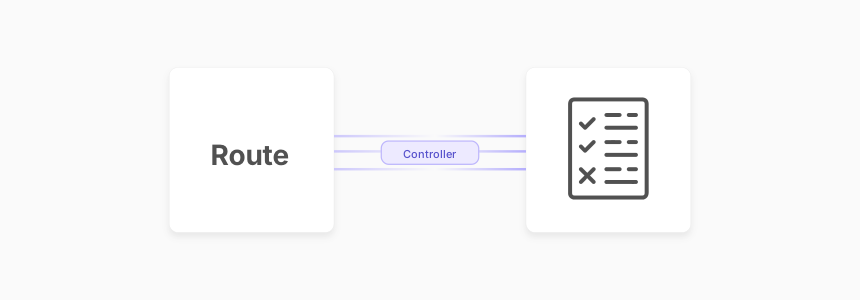
Create app/code/Acme/HelloWorld/etc/frontend/routes.xml:
<?xml version="1.0"?>
<config xmlns:xsi="http://www.w3.org/2001/XMLSchema-instance"
        xsi:noNamespaceSchemaLocation="urn:magento:framework:App/etc/routes.xsd">
    <router id="standard">
        <route id="helloworld" frontName="helloworld">
            <module name="Acme_HelloWorld"/>
        </route>
    </router>
</config>
Create the controller at Controller/Index/Index.php:
<?php
namespace Acme\HelloWorld\Controller\Index;

use Magento\Framework\App\Action\HttpGetActionInterface;
use Magento\Framework\View\Result\PageFactory;

class Index implements HttpGetActionInterface
{
    public function __construct(
        private readonly PageFactory $pageFactory
    ) {}

    public function execute()
    {
        return $this->pageFactory->create();
    }
}
This controller responds to yourstore.com/helloworld/index/index. Magento 2.4.x uses the HttpGetActionInterface pattern instead of the older abstract action class.
Step 3: Create a Block and Template
Create Block/Display.php:
<?php
namespace Acme\HelloWorld\Block;

use Magento\Framework\View\Element\Template;

class Display extends Template
{
    public function getGreeting(): string
    {
        return 'Hello from Acme_HelloWorld!';
    }
}
Add the layout XML at view/frontend/layout/helloworld_index_index.xml:
<?xml version="1.0"?>
<page xmlns:xsi="http://www.w3.org/2001/XMLSchema-instance"
      xsi:noNamespaceSchemaLocation="urn:magento:framework:View/Layout/etc/page_configuration.xsd">
    <body>
        <referenceContainer name="content">
            <block class="Acme\HelloWorld\Block\Display"
                   name="helloworld.display"
                   template="Acme_HelloWorld::display.phtml"/>
        </referenceContainer>
    </body>
</page>
Create the template at view/frontend/templates/display.phtml:
<?php /** @var \Acme\HelloWorld\Block\Display $block */ ?>
<div class="helloworld-container">
    <h2><?= $block->escapeHtml($block->getGreeting()) ?></h2>
</div>
Step 4: Database Schema with Declarative Schema
Since Magento 2.3, Declarative Schema replaces the old InstallSchema and UpgradeSchema scripts. Create etc/db_schema.xml:
<?xml version="1.0"?>
<schema xmlns:xsi="http://www.w3.org/2001/XMLSchema-instance"
        xsi:noNamespaceSchemaLocation="urn:magento:framework:Setup/Declaration/Schema/etc/schema.xsd">
    <table name="acme_helloworld_items" resource="default" engine="innodb" comment="HelloWorld Items">
        <column xsi:type="int" name="item_id" unsigned="true" nullable="false" identity="true"
                comment="Item ID"/>
        <column xsi:type="varchar" name="name" nullable="false" length="255" comment="Name"/>
        <column xsi:type="text" name="description" nullable="true" comment="Description"/>
        <column xsi:type="timestamp" name="created_at" nullable="false" default="CURRENT_TIMESTAMP"
                comment="Created At"/>
        <constraint xsi:type="primary" referenceId="PRIMARY">
            <column name="item_id"/>
        </constraint>
    </table>
</schema>
Generate the whitelist file to track schema changes:
bin/magento setup:db-declaration:generate-whitelist --module-name=Acme_HelloWorld
Then run bin/magento setup:upgrade to create the table.
Step 5: Add System Configuration
Create etc/adminhtml/system.xml for admin settings:
<?xml version="1.0"?>
<config xmlns:xsi="http://www.w3.org/2001/XMLSchema-instance"
        xsi:noNamespaceSchemaLocation="urn:magento:module:Magento_Config:etc/system_file.xsd">
    <system>
        <section id="acme_helloworld" translate="label" sortOrder="100"
                 showInDefault="1" showInWebsite="1" showInStore="1">
            <label>HelloWorld Settings</label>
            <tab>general</tab>
            <group id="general" translate="label" sortOrder="10"
                   showInDefault="1" showInWebsite="1" showInStore="1">
                <label>General</label>
                <field id="enabled" translate="label" type="select" sortOrder="10"
                       showInDefault="1" showInWebsite="1" showInStore="1">
                    <label>Enabled</label>
                    <source_model>Magento\Config\Model\Config\Source\Yesno</source_model>
                </field>
            </group>
        </section>
    </system>
</config>
Step 6: Create a Plugin (Interceptor)
Plugins modify or extend public methods of any Magento class without editing the original code. This is the recommended approach for customizing core Magento behavior without touching original source files.
Create etc/di.xml:
<?xml version="1.0"?>
<config xmlns:xsi="http://www.w3.org/2001/XMLSchema-instance"
        xsi:noNamespaceSchemaLocation="urn:magento:framework:ObjectManager/etc/config.xsd">
    <type name="Magento\Catalog\Model\Product">
        <plugin name="acme_helloworld_product_name"
                type="Acme\HelloWorld\Plugin\ProductNamePlugin"/>
    </type>
</config>
Create Plugin/ProductNamePlugin.php:
<?php
namespace Acme\HelloWorld\Plugin;

use Magento\Catalog\Model\Product;

class ProductNamePlugin
{
    public function afterGetName(Product $subject, string $result): string
    {
        // Example: append a badge to all product names
        return $result . ' ★';
    }
}
Three plugin types exist: before (modify input), after (modify output), and around (wrap the entire method). Use around plugins with caution as they impact performance.
Step 7: Events and Observers
Observers react to system events without modifying class methods. Use them for cross-cutting concerns like logging, notifications, or data synchronization after specific actions.
Create etc/events.xml:
<?xml version="1.0"?>
<config xmlns:xsi="http://www.w3.org/2001/XMLSchema-instance"
        xsi:noNamespaceSchemaLocation="urn:magento:framework:Event/etc/events.xsd">
    <event name="sales_order_place_after">
        <observer name="acme_helloworld_order_observer"
                  instance="Acme\HelloWorld\Observer\OrderPlacedObserver"/>
    </event>
</config>
Create Observer/OrderPlacedObserver.php:
<?php
namespace Acme\HelloWorld\Observer;

use Magento\Framework\Event\ObserverInterface;
use Magento\Framework\Event\Observer;
use Psr\Log\LoggerInterface;

class OrderPlacedObserver implements ObserverInterface
{
    public function __construct(
        private readonly LoggerInterface $logger
    ) {}

    public function execute(Observer $observer): void
    {
        $order = $observer->getEvent()->getOrder();
        $this->logger->info('Order placed: #' . $order->getIncrementId());
    }
}
When to use which: Plugins modify method input or output. Observers react to events. Use plugins when you need to change how a method works. Use observers when you need to trigger actions after something happens (order placed, customer registered, product saved).
Testing Your Extension
Test on a staging server before deploying to production. A proper testing workflow includes:
Unit Tests with PHPUnit:
vendor/bin/phpunit -c dev/tests/unit/phpunit.xml.dist \
    app/code/Acme/HelloWorld/Test/Unit/
Integration Tests against a test database:
vendor/bin/phpunit -c dev/tests/integration/phpunit.xml.dist \
    app/code/Acme/HelloWorld/Test/Integration/
Static Analysis with PHP_CodeSniffer using Magento coding standards:
vendor/bin/phpcs --standard=Magento2 app/code/Acme/HelloWorld/
Run bin/magento dev:tests:run unit as a quick sanity check after each code change. For Marketplace submissions, consider adding MFTF (Magento Functional Testing Framework) tests that automate UI verification.
Package and Deploy
For Marketplace distribution, add a composer.json:
{
    "name": "acme/module-helloworld",
    "description": "HelloWorld extension for Magento 2",
    "type": "magento2-module",
    "version": "1.0.0",
    "require": {
        "php": ">=8.3",
        "magento/framework": ">=103.0"
    },
    "autoload": {
        "files": ["registration.php"],
        "psr-4": {
            "Acme\\HelloWorld\\": ""
        }
    }
}
For production deployment, use a CI/CD pipeline that runs tests, compiles assets, and deploys to your managed Magento hosting environment. A clean deployment sequence:
bin/magento maintenance:enable
composer install --no-dev
bin/magento setup:upgrade
bin/magento setup:di:compile
bin/magento setup:static-content:deploy -f
bin/magento maintenance:disable
bin/magento cache:flush
Best Practices for Magento Extension Development
Follow Magento coding standards. Run PHP_CodeSniffer and PHP Mess Detector before every commit. The Marketplace review process rejects extensions that violate these standards.
Use Dependency Injection. Never instantiate classes with new. Declare dependencies in constructors and let the ObjectManager resolve them through di.xml.
Prefer plugins over class rewrites. Rewrites create conflicts when multiple extensions modify the same class. Plugins stack without interference.
Write for the Magento API. Define service contracts (interfaces) for your module's public API. This ensures backward compatibility across Magento version upgrades.
Scope your database tables. Prefix table names with your vendor name to prevent collisions. Use Declarative Schema for all database changes.
Configure Content Security Policy (CSP). If your extension loads external scripts or styles, whitelist them in etc/csp_whitelist.xml. Magento enforces CSP headers that block unauthorized resources.
Use Schedule mode for indexers. Magento 2.4.8 defaults all indexers to "Update by Schedule" (bin/magento indexer:set-mode schedule). Design your extension to work with deferred indexing rather than triggering immediate reindexes.
Support Hyvä compatibility. If your extension includes frontend components, test with both Luma and Hyvä themes. Hyvä replaces Knockout.js and RequireJS with Alpine.js and Tailwind CSS, so frontend code needs adaptation.
Conclusion
Magento 2 extension development follows a clear and repeatable pattern: register the module, define routes and controllers, create blocks and templates, and declare your database schema in XML. Plugins and observers let you extend core behavior without modifying source files.
Start with a simple module like the HelloWorld example above. Once you understand the file conventions and dependency injection system, building complex extensions becomes straightforward. Test on a staging environment, follow Magento coding standards, and package your module with Composer for clean deployments.
Need a reliable environment for Magento 2 extension development? Our managed Magento hosting includes staging servers, Redis, OpenSearch, and the full stack your extensions need to run.
FAQ
What files does every Magento 2 extension need?
Two files at minimum: registration.php to register the module with Magento's component system, and etc/module.xml to declare the module name and load sequence. Most real extensions also include composer.json for dependency management.
How do I enable a new module after creating it?
Run bin/magento module:enable Vendor_Module followed by bin/magento setup:upgrade. Clear the cache with bin/magento cache:flush. Verify the module status with bin/magento module:status.
What is the difference between a plugin and an observer?
Plugins (interceptors) modify public method behavior using before, after, or around methods. Observers respond to dispatched events. Use plugins when you need to change input or output of a specific method. Use observers for reacting to system events like order placement or customer registration.
Should I use InstallSchema or Declarative Schema?
Declarative Schema. Magento deprecated the old install/upgrade script approach in version 2.3. Declarative Schema uses db_schema.xml and supports automatic rollback, version-independent migrations, and safe column modifications.
How do I test my extension before going live?
Set up a staging environment that mirrors production. Run unit tests with PHPUnit, integration tests against a test database, and static analysis with PHP_CodeSniffer. Test with sample data and verify all custom routes, admin pages, and API endpoints.
Can I develop extensions for both Open Source and Commerce editions?
Yes. Most extensions work on both editions if they rely on framework-level APIs. Avoid dependencies on Commerce-exclusive features like B2B modules, staging content, or customer segments unless your extension targets Commerce stores.
How do I handle extension updates without breaking existing installations?
Use semantic versioning in your composer.json. Declarative Schema handles database migrations between versions. Never remove database columns in minor versions. Add backward-compatible changes and mark deprecated code with @deprecated annotations.
What is the best way to add custom API endpoints?
Define a service contract interface in your Api/ directory, implement it in your Model, and expose it via etc/webapi.xml. This creates REST and SOAP endpoints that follow Magento API conventions and support token-based authentication.
How do I make my extension compatible with Hyvä?
Hyvä replaces Magento's default JavaScript stack. If your extension uses Knockout.js templates, RequireJS modules, or jQuery widgets, you need a Hyvä compatibility module. Create a separate view/frontend/ structure with Alpine.js components. Test rendering on both Luma and Hyvä.
Where can I distribute my finished extension?
The Adobe Commerce Marketplace is the official distribution channel. Submit your extension for technical review (coding standards, security, performance). You can also distribute through private Composer repositories, GitHub, or direct installation packages.
