Hosting Requirements for Magento in 2026
[Updated on January 15, 2026] What technical requirements must your store meet in 2026 to achieve better performance? The right hosting requirements for Magento, with the perfect plan, help you enhance UX.
This article covers how hosting requirements for Magento can help you enhance performance.
Key Takeaways
- LAMP/LNMP stack with Linux, NGINX, and PHP 8.4 (recommended) or 8.3 for optimal stability and performance.
- At least 4GB RAM for production stores and SSD storage for fast data access.
- Hosting with VPS options available for small stores & cloud hosting for medium-sized stores.
- Specialized Magento providers offer customized solutions to meet various business requirements.
- Modern trends, such as edge computing and serverless architectures, enhance the user experience.
- A reliable partner with Magento expertise ensures long-term business success.
Magento Hosting Requirements: 5 Key Factors
Factor 1: System Requirements (LAMP/LEMP Stack)
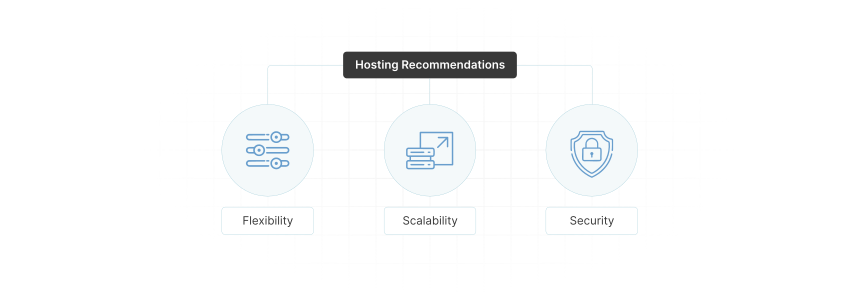
Magento is a powerful e-commerce platform known for its flexibility, scalability, and security. Due to its resource-intensive nature, it requires a properly configured server environment.
The core technical requirements for Magento hosting include:
| Component | Requirement |
|---|---|
| Operating System | Linux (Ubuntu, Debian, CentOS, RHEL) — Windows not supported |
| Web Server | NGINX 1.28+ (recommended) or Apache 2.4+ |
| Database | MariaDB 11.4 (recommended) or MySQL 8.0/8.4 |
| PHP | 8.4 (recommended since 2.4.8) or 8.3 (supported) |
| Search Engine | OpenSearch 2.x/3 (recommended) — Elasticsearch 7.17/8 still supported but being phased out since Magento 2.4.6 |
| Cache | Redis 7.2+ or Valkey 8, Varnish 7.x |
| Message Queue | RabbitMQ 4.x (recommended) or 3.13+ — required for async operations, B2B |
| Package Manager | Composer 2.x |
For the complete and up-to-date specifications, refer to the official Adobe Commerce System Requirements.
Factor 2: Choosing the Right Hosting Type
When selecting a Magento server hosting plan, consider:
- Shared Hosting: Not recommended — Magento requires dedicated resources
- VPS Hosting: Suitable for small stores with moderate traffic
- Cloud Hosting: Ideal for medium stores requiring on-demand scalability
- Dedicated Servers: Best for large stores with high traffic and complex catalogs
Managed hosting services are highly recommended, as they provide Magento-specific optimizations, security updates, and expert support.
Factor 3: Hosting Recommendations by Store Size
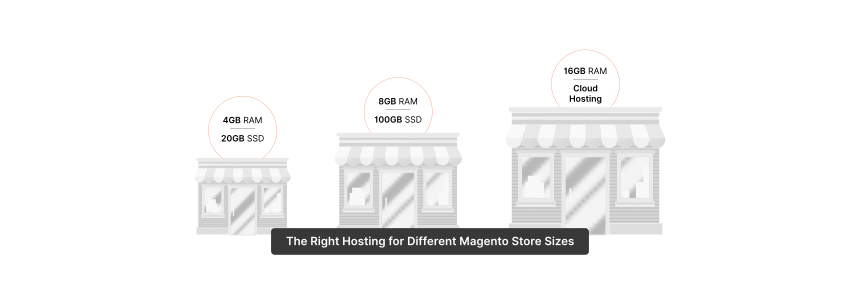
| Store Size | Products | RAM | Storage | Hosting Type | Budget |
|---|---|---|---|---|---|
| Small | Up to 1,000 | 4 GB | 20 GB SSD | Managed VPS | $50–100/month |
| Medium | 1,000–10,000 | 8 GB | 100 GB SSD | Cloud Hosting | $100–200/month |
| Large | 10,000+ | 16+ GB | 250+ GB SSD | Dedicated/Enterprise | $200+/month |
Note: SSD storage is essential for database performance. Development environments may run on 2 GB RAM, but production stores require at least 4 GB.
Factor 4: Caching and Performance Stack
For optimal Magento performance, configure:
- Full-Page Cache: Redis 7.2+ or Valkey 8 for session and cache storage
- HTTP Accelerator: Varnish 7.x for static content caching
- CDN Integration: Fastly (Adobe Commerce Cloud default) or Cloudflare for global content delivery
- OPcache: PHP OPcache enabled for bytecode caching
Factor 5: Selecting a Reliable Hosting Provider
A good Magento hosting provider should offer:
- 24/7 Support with Magento expertise
- Performance optimization (pre-configured caching, CDN)
- Security features (WAF, SSL certificates, DDoS protection)
- Automatic backups and disaster recovery
- Staging environments for testing updates before going live
Adobe Commerce vs. Magento Open Source
When planning your hosting strategy, understand the differences between the two editions:
| Feature | Magento Open Source | Adobe Commerce |
|---|---|---|
| License | Free (open source) | Commercial license |
| Hosting | Self-hosted (any provider) | Self-hosted or Adobe Commerce Cloud |
| B2B Features | Via extensions | Built-in (quotes, company accounts, requisition lists) |
| Staging Environment | Manual setup | Included in Cloud |
| Page Builder | Basic | Advanced with drag-and-drop |
| Support | Community forums | Adobe Support included |
| AI/ML Features | Third-party extensions | Adobe Sensei integration (Product Recommendations, Live Search) |
Hosting Implications:
- Magento Open Source requires you to manage infrastructure, security patches, and scaling
- Adobe Commerce Cloud includes managed hosting with auto-scaling, Fastly CDN, and New Relic monitoring
3 Emerging Trends in Magento Hosting (2026)
Note: Advanced features often require Adobe Commerce or third-party extensions. The following trends reflect the broader ecosystem.
1. Composable and Headless Commerce
Modern Magento implementations increasingly adopt decoupled architectures:
- PWA Studio and Adobe Edge Delivery Services enable fast, app-like frontend experiences
- GraphQL APIs allow flexible frontend frameworks (React, Vue.js, Next.js)
- Microservices enable independent scaling and deployment of store components
This approach requires hosting that supports containerization (Docker, Kubernetes) and API-first infrastructure.
2. Server-Side Tracking and Privacy
With browser restrictions on third-party cookies and stricter privacy regulations:
- Server-side analytics reduce dependency on client-side tracking
- First-party data strategies become essential for personalization
- Consent management integration is required for GDPR/CCPA compliance
Hosting providers should support server-side tracking solutions and regional data residency requirements.
3. AI-Powered Commerce (Adobe Sensei)
Adobe Commerce merchants can leverage Adobe Sensei for:
- Live Search with intelligent ranking and faceting
- Product Recommendations based on shopper behavior
- Intelligent Re-ranking of category pages
For Magento Open Source, similar capabilities require third-party extensions like Algolia, Klevu, or custom ML integrations.
FAQs
How much RAM does Magento need?
For production stores, a minimum of 4 GB RAM is required. Medium to large stores should have 8 GB or more for optimal performance during traffic spikes and indexing operations.
What hosting type is best for Magento?
It depends on your store size. Small stores can use managed VPS ($50–100/month), while larger stores benefit from cloud or dedicated hosting ($200+/month). Shared hosting is not recommended.
Does Magento work on Windows servers?
No. Magento only supports Linux-based operating systems (Ubuntu, Debian, CentOS, RHEL).
Which database should I use?
MariaDB 11.4 is recommended for new installations. MySQL 8.0/8.4 is also supported. Ensure your hosting provider offers optimized database configurations with proper indexing.
Is RabbitMQ required?
RabbitMQ is required for asynchronous operations like bulk API processing, B2B features, and deferred stock updates. It's essential for larger stores and Adobe Commerce B2B installations.
What's the difference between Magento Open Source and Adobe Commerce?
Magento Open Source is free but requires self-management. Adobe Commerce includes advanced features (B2B, AI-powered search, staging) and optional cloud hosting with managed infrastructure.
Check out local storage for a deeper dive into the topic.
Summary
Choosing the right hosting for your Magento store requires understanding:
- System requirements: Linux, PHP 8.3+, MariaDB/MySQL, NGINX, Redis, OpenSearch
- Resource allocation: Match RAM and storage to your catalog size and traffic
- Hosting type: VPS for small stores, Cloud/Dedicated for larger operations
- Edition differences: Open Source vs. Adobe Commerce have different hosting needs
A well-configured hosting environment delivers better performance, security, and user experience—directly impacting conversion rates and customer satisfaction.
Consider managed Magento hosting from providers with proven expertise to ensure your store meets all technical requirements.
Last updated: January 15, 2026
Sources: Adobe Commerce Documentation, Magento DevDocs