

Magento Hybrid Cloud Hosting: Architecture, Components, and Cost
[Updated: March 24, 2026] Your Magento store runs on private servers. Traffic spikes hit, and those servers max out. Hybrid cloud hosting solves this by routing overflow traffic to public cloud infrastructure while keeping sensitive data on your own hardware.
This guide covers the architecture, core components, and real costs of hybrid cloud hosting for Magento stores.
Key Takeaways
-
Hybrid cloud hosting splits workloads between private on-premise servers and public cloud platforms like AWS
-
This architecture delivers elastic scaling during traffic spikes while maintaining control over sensitive customer and payment data
-
Core components include load balancers, CDN edge caching, Redis clusters, database read replicas, and container orchestration
-
Total cost of ownership for hybrid cloud ranges from $1,300 to $2,800 per month for mid-size stores, compared to $300 to $1,400 for managed cloud and $2,500 to $6,000 for full on-premise
-
Adobe Commerce 2.4.8 (latest stable, March 2026) runs on PHP 8.3 or 8.4, OpenSearch 2.x, and MariaDB 10.6 or MySQL 8.0
What is Hybrid Cloud Hosting for Magento?
Hybrid cloud hosting = Private servers handle sensitive data and admin operations while public cloud resources manage customer traffic and scaling. You get the security of on-premise infrastructure with the elasticity of cloud computing.
Perfect for: Mid-to-large Magento stores, businesses with seasonal traffic spikes, companies with strict data compliance requirements
Not ideal for: Small stores under 1,000 SKUs, single-developer teams without DevOps capacity
A hybrid cloud setup for Magento connects your private infrastructure with public cloud platforms through a unified networking layer. The Magento application runs on a distributed system where private servers handle database writes, admin sessions, and payment processing. Public cloud servers handle catalog browsing, content delivery, and traffic bursts.
This split gives you two things at once: predictable performance for core operations and elastic capacity for customer-facing traffic.
Hybrid Cloud vs. On-Premise vs. Full Cloud
| Aspect | Hybrid Cloud | Full On-Premise | Full Cloud (Managed) |
|---|---|---|---|
| Scaling | Elastic for public workloads, fixed for private | Fixed hardware capacity | Elastic across all workloads |
| Data Control | Sensitive data stays on-premise | Full control over all data | Provider manages data security |
| Cost Model | Mixed: fixed base + variable cloud | High upfront CapEx, low ongoing | Pay-as-you-go, no hardware |
| Complexity | High (two environments to manage) | Medium (single environment) | Low (provider manages stack) |
| Failover | Multi-zone cloud + on-premise backup | Limited to physical redundancy | Provider-managed redundancy |
| Best For | Regulated industries, large catalogs | Full control requirements | Most Magento stores |
For most Magento stores, managed cloud hosting eliminates the complexity of hybrid setups while delivering comparable performance. Hybrid makes sense when regulations or internal policies require on-premise data storage.
Technical Architecture: 5 Core Components
1. Load Balancing and Traffic Distribution
The load balancer sits at the entry point of your hybrid stack. It routes requests based on content type and server health:
- Application Load Balancer (ALB): Directs API requests and checkout flows to private servers. Routes catalog browsing and static content requests to cloud nodes.
- Health Checks: Continuous monitoring removes unhealthy nodes from the rotation within seconds.
- SSL Termination: Handles TLS handshakes at the load balancer level to reduce backend processing overhead.
- Geographic Routing: Directs users to the nearest cloud region for lower latency on content delivery.
2. CDN and Edge Caching
A Content Delivery Network caches static assets at edge locations worldwide. This reduces Time To First Byte (TTFB) and offloads traffic from your origin servers.
- Static Asset Caching: Product images, CSS, and JavaScript files served from edge locations. Amazon CloudFront or similar CDN services deliver these assets from 750+ global points of presence.
- Dynamic Content Acceleration: API responses and personalized content use optimized routes between edge and origin.
- Cache Invalidation: Automated purging when products update, prices change, or new content publishes.
For Magento stores, CDN configuration reduces origin server load by 60 to 80% for static assets.
3. Database Architecture
The database layer is where hybrid cloud shows its biggest advantage. Sensitive data stays on your private infrastructure while read replicas in the cloud handle catalog queries.
- Primary Instance (On-Premise): Handles all writes. Stores customer data, orders, and payment information on encrypted local SSDs. Runs MySQL 8.0 or MariaDB 10.6 (Adobe Commerce 2.4.8 requirements).
- Read Replicas (Cloud): Handle catalog browsing queries, search indexing, and reporting. Scale based on traffic patterns.
- Automated Failover: If the primary instance goes down, a standby replica promotes within minutes.
- Backup Strategy: Automated snapshots every 4 to 6 hours with point-in-time recovery capability.
4. Caching Layer: Redis and Varnish
Caching is critical for Magento performance. A hybrid setup distributes cache responsibilities across both environments.
- Varnish (Full Page Cache): Sits in front of your web servers. Caches complete HTML pages for anonymous users. Hit rates above 90% are standard for well-configured Magento stores.
- Redis (Session + Object Cache): Private Redis instances handle admin sessions and checkout data. Cloud-based Redis manages customer sessions with auto-scaling based on concurrent users.
- Browser Cache Headers: Asset fingerprinting and cache-control headers optimize client-side caching. Static assets cache for 30 to 90 days.
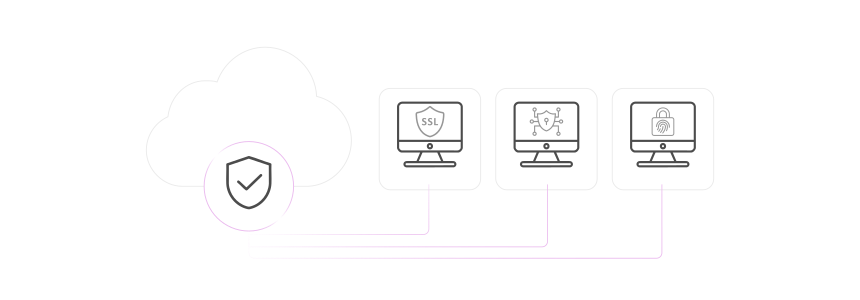
5. Security Infrastructure
Hybrid cloud requires a layered security model that spans both environments.
- Web Application Firewall (WAF): Filters traffic based on OWASP vulnerability profiles before requests reach your application servers. Blocks SQL injection, XSS, and bot traffic.
- Network Isolation: Private subnets for backend services. No direct internet access to database or admin servers.
- Encryption: AES-256 for data at rest. TLS 1.3 for data in transit between cloud and on-premise components.
- Access Control: Role-based access with multi-factor authentication for all admin operations. API access restricted to allowlisted IP ranges.
System Requirements for Hybrid Magento Hosting (2026)
Adobe Commerce 2.4.8-p4 (latest stable patch, March 2026) requires the following stack:
| Component | Required Version | Notes |
|---|---|---|
| PHP | 8.3 or 8.4 | PHP 8.4 recommended for performance |
| MySQL | 8.0 | Or MariaDB 10.6 |
| OpenSearch | 2.x | Elasticsearch no longer supported since 2.4.8 |
| Redis | 7.2 | For session and page cache |
| Composer | 2.7+ | Dependency management |
| Varnish | 7.x | Full page cache |
| nginx | 1.24+ | Reverse proxy and web server |
Adobe Commerce 2.4.9-beta1 (released March 2026) previews PHP 8.5, OpenSearch 3, MariaDB 11.4, and Redis/Valkey 8 support. Plan your hybrid infrastructure upgrades around these requirements.
Total Cost of Ownership: Hybrid vs. Alternatives
| Cost Factor | Hybrid Cloud | Full On-Premise | Managed Cloud |
|---|---|---|---|
| Hardware/Infrastructure | $800 to $1,500/month (private) + $200 to $500/month (cloud) | $2,000 to $5,000/month (owned/leased) | $300 to $1,200/month |
| DevOps Staff | Required (hybrid expertise) | Required (server admin) | Included in hosting fee |
| Network Connectivity | $100 to $300/month (dedicated links) | Included | Included |
| Security/Compliance | $200 to $500/month (tools + audits) | $200 to $500/month | Included or $100 to $200/month |
| Typical Monthly Total | $1,300 to $2,800 | $2,500 to $6,000 | $300 to $1,400 |
Prices based on mid-size Magento store (10,000 to 50,000 SKUs, 50,000 to 200,000 monthly visitors). Enterprise stores with custom requirements cost more.
The hidden cost of hybrid is complexity. You need DevOps engineers who understand both on-premise infrastructure and cloud platforms. For most Magento stores, managed hosting on AWS delivers the same performance benefits without the operational overhead.
Deployment in Hybrid Environments
Code deployment across hybrid environments requires careful orchestration. Changes must propagate to both on-premise and cloud servers without downtime.
CI/CD Pipeline Setup
A production-grade deployment pipeline for hybrid Magento includes:
- Version Control: All code changes go through Git with branch protection. Feature branches merge to staging, then production after validation.
- Automated Testing: Unit tests, integration tests, and static content deployment run in the CI pipeline before any server receives new code.
- Staged Rollout: Deploy to cloud nodes first. Validate. Then deploy to on-premise servers. This limits blast radius if issues surface.
- Zero-downtime deployment uses symlink switching. The new release builds in a separate directory while the current version serves traffic. A symlink swap makes the transition instant.
Static Content Strategy
Static content deployment consumes the most time during Magento updates. In hybrid environments:
- Deploy per locale:
bin/magento setup:static-content:deploy en_US de_DE --jobs=4 - Use the
compactstrategy for smaller deployments:--strategy compact - Pre-generate static content in staging. Copy to production servers instead of regenerating.
When Hybrid Cloud Makes Sense
Hybrid cloud hosting adds complexity. That complexity is justified in specific scenarios:
Choose hybrid when:
- Regulations require certain data to stay on physical servers you control (PCI DSS Level 1, GDPR data residency)
- Your store experiences extreme traffic variation (10x+ spikes during sales events)
- You already own on-premise infrastructure and want to extend it with cloud bursting
- Your catalog exceeds 100,000 SKUs with complex pricing rules that benefit from dedicated database hardware
Choose managed cloud hosting instead when:
- Your team lacks dedicated DevOps engineers for two environments
- You want predictable monthly costs without hardware management
- Your compliance requirements can be met with cloud-native security controls
- You prefer your hosting provider to handle scaling, patching, and monitoring
Pros and Cons of Hybrid Cloud Hosting
FAQ
What is hybrid cloud hosting for Magento?
Hybrid cloud hosting combines private on-premise servers with public cloud infrastructure. Your Magento store runs across both environments, with sensitive data on private servers and customer-facing traffic handled by cloud resources that scale on demand.
How does hybrid cloud differ from managed cloud hosting?
Managed cloud hosting runs your entire Magento stack on cloud infrastructure managed by your hosting provider. Hybrid cloud splits workloads between your own servers and cloud platforms. Managed cloud is simpler to operate. Hybrid cloud gives you more control over data placement.
What are the system requirements for Magento hybrid cloud hosting?
Adobe Commerce 2.4.8 (latest stable, March 2026) requires PHP 8.3 or 8.4, MySQL 8.0 or MariaDB 10.6, OpenSearch 2.x, Redis 7.2, and Varnish 7.x. Both on-premise and cloud servers must run compatible versions across the entire stack.
How much does hybrid cloud hosting cost for Magento?
A mid-size Magento store on hybrid cloud costs $1,300 to $2,800 per month including infrastructure, networking, and security tooling. This does not include DevOps staff costs. Managed cloud hosting achieves similar results for $300 to $1,400 per month.
Is hybrid cloud hosting more secure than cloud hosting?
Not inherent. Hybrid cloud lets you keep sensitive data on servers you control, which satisfies certain compliance requirements. But security depends on implementation. A well-configured managed cloud environment with WAF, encryption, and access controls provides enterprise-grade security without the complexity of managing two environments.
When should a Magento store switch to hybrid cloud?
Consider hybrid cloud when you face regulatory requirements for on-premise data storage, experience extreme traffic spikes (10x or more during peak events), or already own on-premise hardware you want to extend with cloud capacity. For most stores, managed cloud hosting provides equivalent performance with lower complexity.
What is the difference between hybrid cloud and multi-cloud?
Hybrid cloud combines private (on-premise) and public cloud infrastructure. Multi-cloud uses multiple public cloud providers (for example, AWS and Google Cloud together) without on-premise hardware. Multi-cloud focuses on avoiding vendor lock-in. Hybrid cloud focuses on data control and compliance.
How does database replication work in a hybrid Magento setup?
The primary database runs on your private server and handles all write operations. Read replicas in the cloud handle catalog queries, search indexing, and reporting. Changes replicate from primary to replicas with minimal delay. Automated failover promotes a replica to primary if the main database goes down.
Can I migrate from hybrid cloud to full cloud hosting later?
Yes. The migration path involves moving your on-premise workloads to cloud infrastructure, transferring databases, and updating network configurations. Most managed hosting providers offer migration assistance. Plan for 2 to 4 weeks of migration and testing for a mid-size store.
What monitoring tools work best for hybrid Magento hosting?
Use centralized monitoring that spans both environments. Tools like Datadog, New Relic, or Grafana with Prometheus collect metrics from on-premise and cloud servers in a single dashboard. Set threshold-based alerts for response time, error rates, CPU usage, and database query performance across all nodes.
Summary
Hybrid cloud hosting gives Magento stores the flexibility to keep sensitive data on private servers while scaling customer-facing traffic through public cloud infrastructure. The architecture works well for stores with strict compliance requirements, extreme traffic patterns, or existing on-premise hardware investments.
For most Magento stores, the added complexity and cost of hybrid cloud outweigh the benefits. Managed cloud hosting on AWS delivers elastic scaling, enterprise security, and professional support without the overhead of managing two environments.
Explore managed Magento hosting to get hybrid-grade performance with a simpler operational model.
