

Magento TTFB Optimization: How to Reduce Server Response Time
[Updated: March 23, 2026]
A 3-second TTFB turns visitors into bounces. Google measures it. Shoppers feel it. Your Magento store loses revenue every millisecond the server takes to respond.
This guide covers the proven methods to get your Magento TTFB below 800ms, from PHP configuration to Varnish caching to database tuning.
Key Takeaways
-
TTFB under 800ms is Google's "good" threshold. Above 1,800ms is "poor"
-
TTFB is not a Core Web Vital but precedes FCP and LCP, which are
-
OPcache, Varnish full page cache, and Redis eliminate the biggest Magento bottlenecks
-
Adobe Commerce 2.4.8 supports PHP 8.4, OpenSearch 2.19, and MySQL 8.4 LTS for better performance
-
Profiling tools like XHProf and the Magento default profiler pinpoint exact bottlenecks
-
Managed hosting removes TTFB optimization complexity with pre-tuned server stacks
What is Magento TTFB?
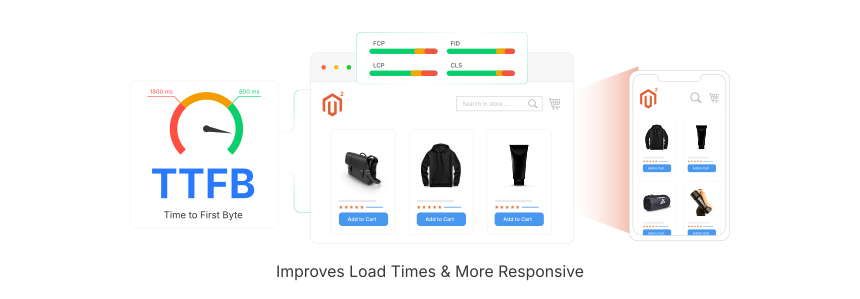
Magento TTFB (Time to First Byte) = the time between a browser sending a request and receiving the first byte of response data from your server. A low TTFB means your server processes requests fast. A high TTFB means something in your stack is slow.
Measures: Server response speed, hosting quality, backend code efficiency, caching effectiveness
Does not measure: Frontend rendering speed, JavaScript execution, image load times
TTFB captures everything that happens on the server side before the browser receives any data. This includes DNS lookup, TCP connection, TLS negotiation, server processing, and the first byte of the response traveling back.
Google defines three TTFB tiers:
| Rating | Threshold | What It Means |
|---|---|---|
| Good | ≤ 800ms | Server responds fast enough for good user experience |
| Needs Improvement | 800ms to 1,800ms | Noticeable delay, optimization needed |
| Poor | > 1,800ms | Server is too slow, affects all downstream metrics |
Magento stores without caching often hit 2 to 4 seconds TTFB. With proper optimization, production stores achieve 200 to 500ms on cached pages.
TTFB and Core Web Vitals
TTFB is not a Core Web Vital. Google's three CWVs are Largest Contentful Paint (LCP), Interaction to Next Paint (INP), and Cumulative Layout Shift (CLS).
However, TTFB precedes every CWV metric. A slow TTFB pushes First Contentful Paint (FCP) and LCP later, making it harder to pass Google's thresholds. If your server takes 2 seconds to respond, your LCP cannot be under 2.5 seconds without aggressive client-side optimization.
Think of TTFB as the foundation. You cannot build fast user experiences on a slow server.
Common Causes of High TTFB in Magento
| Cause | Impact | Fix |
|---|---|---|
| No full page cache | Server regenerates every page from scratch | Enable Varnish FPC |
| Slow PHP processing | PHP interprets code on every request | Enable OPcache, upgrade to PHP 8.3 or 8.4 |
| Heavy database queries | Unindexed queries take seconds to execute | Add indexes, enable query cache |
| Too many extensions | Each module adds processing overhead | Disable unused modules |
| Missing OPcache | PHP recompiles scripts on every request | Enable OPcache with proper settings |
| No Redis | Session and cache data stored on disk | Use Redis for session and backend cache |
| Shared hosting | Overcrowded servers with limited resources | Switch to dedicated or managed hosting |
| Debug mode in production | Xdebug and logging add massive overhead | Disable Xdebug, reduce log verbosity |
Server and PHP Optimization for Lower TTFB
The biggest TTFB gains come from server-side optimization. A well-configured server handles Magento's processing demands without delays.
Upgrade to PHP 8.3 or 8.4
Adobe Commerce 2.4.8 (released April 2025) supports PHP 8.3 and PHP 8.4. PHP 8.1 is no longer compatible. Each PHP major version brings measurable performance improvements through the JIT compiler and internal optimizations.
Check your current PHP version:
php -v
Enable OPcache
OPcache stores precompiled PHP bytecode in memory. Without it, PHP parses and compiles every script on every request. This alone can reduce TTFB by 50% or more.
Recommended OPcache settings for Magento production:
opcache.enable=1
opcache.memory_consumption=512
opcache.max_accelerated_files=60000
opcache.validate_timestamps=0
Setting validate_timestamps=0 means PHP never checks if files changed. Deploy processes need to clear OPcache after code updates.
For a complete walkthrough, see our Magento speed optimization guide.
Disable Xdebug in Production
Xdebug adds 50 to 100ms overhead to every request. Verify it is not loaded:
php -m | grep xdebug
If it returns "xdebug", remove or disable it in your php.ini for production environments.
Caching Strategies to Reduce TTFB
Caching is the single most effective way to reduce Magento TTFB. A cached page response takes 10 to 50ms. An uncached page can take 2 to 4 seconds.
Varnish Full Page Cache
Varnish sits in front of your web server and serves cached HTML from memory. Magento 2 ships with built-in Varnish support. When a page is cached, Varnish returns it without touching PHP or the database at all.
Configure Varnish by generating the VCL file from your Magento admin:
Stores → Configuration → Advanced → System → Full Page Cache → Caching Application → Varnish Cache
For deeper configuration options, read our full page cache guide.
Redis for Session and Backend Cache
Redis stores cache data and sessions in memory instead of the filesystem. Magento supports Redis out of the box for:
- Backend cache: Product data, configuration, layouts
- Session storage: Customer sessions, cart data
- Full page cache: Alternative to Varnish (though Varnish performs better for FPC)
Configure Redis in app/etc/env.php to replace the default file-based cache.
Database, CDN, and Frontend Optimization
Database Tuning
Slow database queries are a common TTFB bottleneck. Adobe Commerce 2.4.8 recommends MySQL 8.4 LTS or MariaDB 11.4 LTS for best performance.
Key database optimizations:
- Enable flat catalog for categories and products (Stores → Configuration → Catalog)
- Set indexers to "Update by Schedule" instead of "Update on Save" (default in 2.4.8)
- Add custom indexes to columns that appear in frequent WHERE clauses
-
Clean up log tables that grow without bounds (
report_event,customer_log)
For a complete guide, see database optimization for Magento.
Content Delivery Network
A CDN caches static assets (images, CSS, JavaScript) on edge servers worldwide. This offloads requests from your origin server and reduces latency for visitors far from your data center.
Amazon CloudFront pairs well with Magento hosting on AWS. Follow our CDN setup guide to configure static asset delivery.
Frontend Optimization
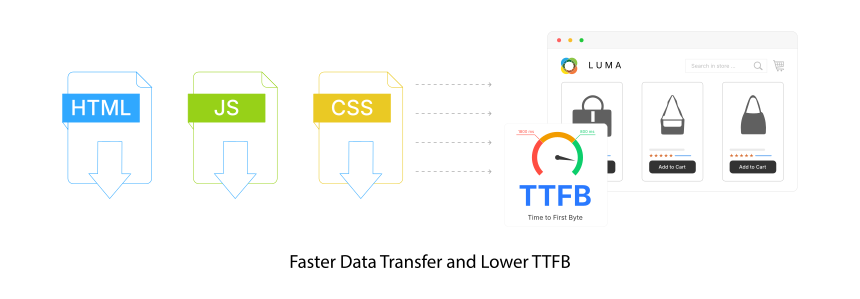
Frontend changes reduce perceived load time and support lower TTFB:
- Enable Gzip compression in Nginx or Apache to shrink HTML, CSS, and JavaScript by 60 to 80%
- Enable HTTP/2 for multiplexed connections and header compression
- Minify CSS and JavaScript through Magento's built-in settings (Stores → Configuration → Advanced → Developer)
- Enable lazy loading for below-the-fold images
- Remove unused extensions that inject extra CSS and JavaScript into every page
How to Measure TTFB in Magento
Browser DevTools
Open Chrome DevTools (F12), click the Network tab, reload the page. Click the first document request and check the Timing tab. The "Waiting for server response" value is your TTFB.
Google Lighthouse
Run a Lighthouse audit from Chrome DevTools. Look for "Server response time" in the diagnostics section. Lighthouse flags TTFB above 600ms as an issue.
WebPageTest
Enter your URL at webpagetest.org. Select a test location near your target audience. The waterfall chart shows TTFB as the green bar on the first request.
curl Command
curl -o /dev/null -s -w "TTFB: %{time_starttransfer}s\n" https://yourstore.com
This returns your TTFB in seconds. Run it multiple times and average the results. Values under 0.8 seconds pass Google's threshold.
Finding TTFB Bottlenecks with Profiling Tools
When TTFB is high but the cause is unclear, profiling tools reveal where server time is spent.
Magento Built-in Profiler
Enable it by adding to index.php:
$_SERVER['MAGE_PROFILER'] = 'html';
This adds a profiler panel to every page showing time spent in each code block. Focus on timers with the highest cumulative time values.
XHProf
XHProf profiles PHP execution at the function level. It shows which functions consume the most wall time and CPU time. Sort by "Exclusive Wall Time" to find the most expensive operations.
Install via PECL:
pecl install xhprof
After installation, configure auto-prepend and auto-append files to start and stop profiling on every request. XHProf generates call graphs that visualize the full execution path.
Developer Toolbars
Extensions like Mirasvit Developer Toolbar display query counts, cache hit ratios, and module load times in a toolbar overlay. These help identify slow database queries and modules that add processing overhead without diving into raw profiler output.
Choosing the Right Hosting for Low TTFB
Server hardware and configuration determine your TTFB floor. No amount of code optimization compensates for an underpowered server.
What matters for Magento TTFB:
- SSD or NVMe storage for fast database reads and writes
- Dedicated CPU and RAM (not shared with other tenants)
- Server location close to your target audience
- Pre-configured stack with Varnish, Redis, PHP OPcache, and Nginx
A managed Magento hosting provider handles all server-level TTFB optimization. The server stack comes pre-tuned with Varnish, Redis, OPcache, and HTTP/2 so you can focus on your store instead of server administration.
FAQ
What is a good TTFB for Magento?
Google considers TTFB under 800ms as "good." Production Magento stores with Varnish and Redis achieve 200 to 500ms on cached pages. Uncached pages (first visit, logged-in customers) run 1 to 3 seconds depending on page complexity and server specs.
Is TTFB a Google ranking factor?
TTFB is not a direct ranking factor and not a Core Web Vital. However, TTFB precedes First Contentful Paint (FCP) and Largest Contentful Paint (LCP). A slow TTFB makes it impossible to achieve good LCP scores, which IS a Core Web Vital and ranking signal.
Does Varnish reduce Magento TTFB?
Yes. Varnish serves cached pages from memory without invoking PHP or the database. TTFB drops from 2 to 4 seconds to 10 to 50ms for cached pages. Varnish does not help with uncacheable pages like checkout or customer account pages.
What PHP version is best for Magento TTFB?
Adobe Commerce 2.4.8 supports PHP 8.3 and 8.4. PHP 8.4 delivers the best performance through JIT compilation improvements and internal optimizations. PHP 8.1 is no longer supported in 2.4.8.
How does OPcache affect TTFB?
OPcache stores precompiled PHP bytecode in memory, eliminating the need to parse and compile scripts on every request. It can reduce PHP processing time by 50% or more, which translates to measurable TTFB improvement on every page load.
Can a CDN reduce Magento TTFB?
A CDN reduces TTFB for static assets (images, CSS, JavaScript) by serving them from edge servers close to the visitor. For the HTML document itself, TTFB depends on your origin server. CDNs with edge caching (like CloudFront) can cache full pages for anonymous users, reducing document TTFB close to zero.
Conclusion
Magento TTFB optimization starts with three high-impact changes: enable OPcache, configure Varnish for full page caching, and set up Redis for session and backend cache. These three changes alone bring most stores under the 800ms threshold.
Beyond caching, keep your PHP version current (8.3 or 8.4 for Adobe Commerce 2.4.8), optimize database queries, deploy a CDN for static assets, and remove unused extensions. Use profiling tools like XHProf to find and fix remaining bottlenecks.
Consider managed hosting to get a pre-tuned server stack with all TTFB optimizations built in. It removes the complexity of server management so you can focus on growing your store.
