

Magento 2 Breadcrumbs on Product Pages: How to Add, Customize, and Fix
[Updated: March 17, 2026]
Breadcrumbs on Magento 2 product pages look simple. They're not. The system renders them through client-side JavaScript based on session data, which creates caching conflicts and missing paths most guides skip.
This guide covers how breadcrumbs work, how to configure them through admin and XML, and how to add the structured data Google expects.
Key Takeaways
- Magento 2 product page breadcrumbs use session-based JavaScript rendering, not server-side HTML
- The admin toggle at Stores > Configuration > General > Web > Default Pages controls CMS page breadcrumbs only
- Product breadcrumbs show the last visited category path, not the first assigned category
- BreadcrumbList JSON-LD schema requires an extension or custom module (Magento core does not generate it)
- Custom Layout Update changed from inline XML to file-based selectors in Magento 2.3.4
- Direct URL access shows "Home > Product Name" with no category in the path (expected behavior)
What Are Magento 2 Breadcrumbs?
Magento 2 breadcrumbs = navigational links showing a visitor's path from the homepage to the current page. They reduce bounce rates and help search engines understand your store's category hierarchy.
Perfect for: Store owners improving navigation, developers building custom themes, SEO teams adding structured data
Not ideal for: Single-product stores with flat catalogs, headless PWA setups with custom routing
Breadcrumbs display a trail like Home > Electronics > Laptops > MacBook Pro. Each segment is a clickable link that takes visitors back to that level. This navigation element has a measurable impact on user engagement and search engine crawling.
Magento 2 supports breadcrumbs on three page types: CMS pages, category pages, and product pages. Each type has distinct behavior. Product page breadcrumbs are the most complex because they rely on session data rather than a fixed path.
How Product Page Breadcrumbs Work in Magento 2
Most Magento guides skip this section. Understanding the mechanism prevents hours of debugging.
Product page breadcrumbs in Magento 2 are session-based. The system tracks which category a visitor last browsed and uses that category path to build the breadcrumb trail. This happens through client-side JavaScript, not server-side PHP rendering.
Here's why this matters:
Full Page Cache Compatibility
Server-rendered breadcrumbs would show the same path to every visitor, regardless of how they arrived. JavaScript-based rendering lets each session display a personalized trail even when the page HTML is served from cache. This is why Magento hosting performance matters for breadcrumb rendering. Slow JavaScript execution causes layout shifts that hurt Core Web Vitals.
Direct URL Access Shows No Category
When a visitor lands on a product page from Google, email, or a direct link, no category session exists. The breadcrumb displays "Home > Product Name" with no intermediate categories. This is not a bug. It is how session-based breadcrumbs work by design.
Multi-Category Products Get the Right Path
A product assigned to both "Electronics > Laptops" and "Deals > Black Friday" shows the breadcrumb matching whichever category the visitor came from. Without session data, Magento does not fall back to the "first assigned" category. This is a common misconception documented in Magento's issue tracker (GitHub issues #5502 and #5499).
3 Types of Breadcrumbs in Magento 2
| Type | Example | Use Case |
|---|---|---|
| Hierarchy-based | Home > Category > Subcategory > Product | Default in Magento 2. Shows position in catalog structure |
| History-based | Home > Previous Page > Current Page | Tracks browsing history. Useful for stores with deep catalogs |
| Attribute-based | Home > Brand: Nike > Color: Black > Product | Shows product attributes as path segments. Best for filtered navigation |
Magento 2 uses hierarchy-based breadcrumbs by default. History-based and attribute-based breadcrumbs require custom development or third-party extensions.
The breadcrumb trail works in tandem with your Magento navigation menu to create a complete navigation system. Both elements should reflect the same category hierarchy.
How to Enable Breadcrumbs for CMS Pages
Magento 2 has a built-in admin toggle for CMS page breadcrumbs:
- Go to Stores > Configuration > General > Web > Default Pages
- Set Show Breadcrumbs for CMS Pages to Yes
- Save the configuration
- Flush the cache
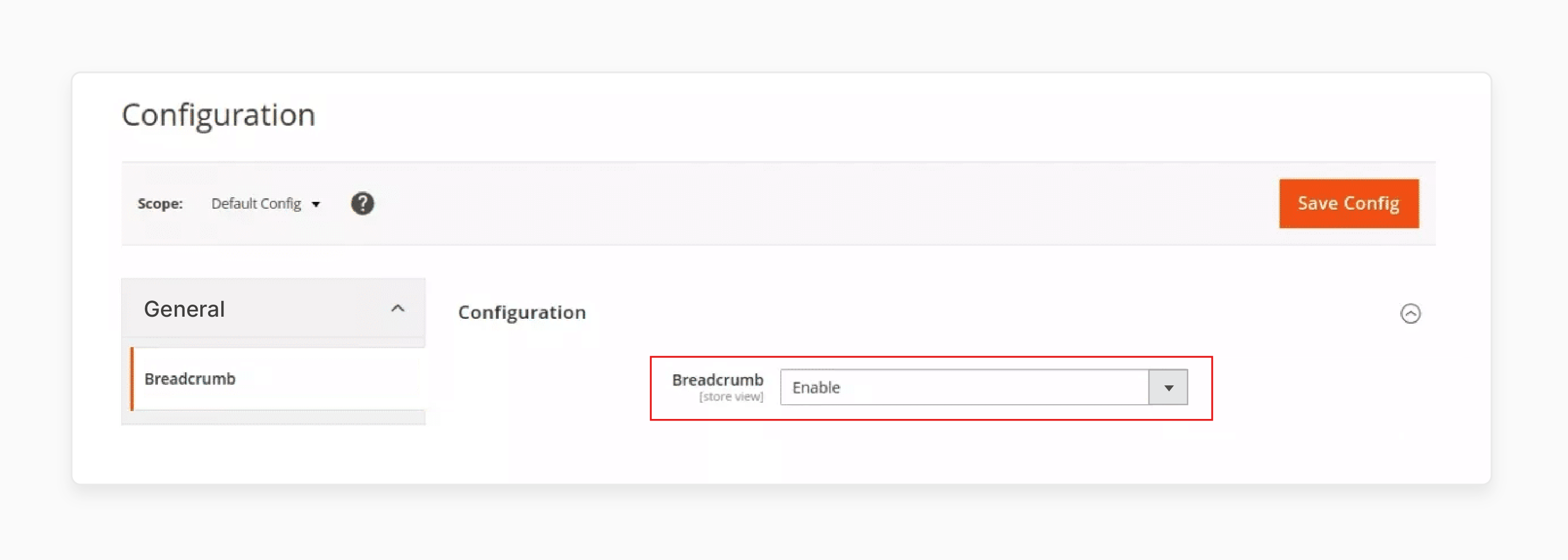
Product page breadcrumbs have no admin toggle. They are enabled by default and require XML layout modifications to disable. See the removal section below.
For CMS-specific breadcrumb configuration beyond this toggle, see our CMS breadcrumbs tutorial.
How to Customize Breadcrumbs with XML Layout
Adding Breadcrumbs to Product Pages
Create or edit the layout file in your theme at this path:
app/design/frontend/Vendor/Theme/Magento_Catalog/layout/catalog_product_view.xml
Add the breadcrumb block reference:
<?xml version="1.0"?>
<page xmlns:xsi="http://www.w3.org/2001/XMLSchema-instance"
      xsi:noNamespaceSchemaLocation="urn:magento:framework:View/Layout/etc/page_configuration.xsd">
    <body>
        <referenceBlock name="breadcrumbs"
                        template="Magento_Theme::html/breadcrumbs.phtml"/>
    </body>
</page>
Save the file and flush the cache with bin/magento cache:flush.
Custom Layout Update (Magento 2.3.4 and Later)
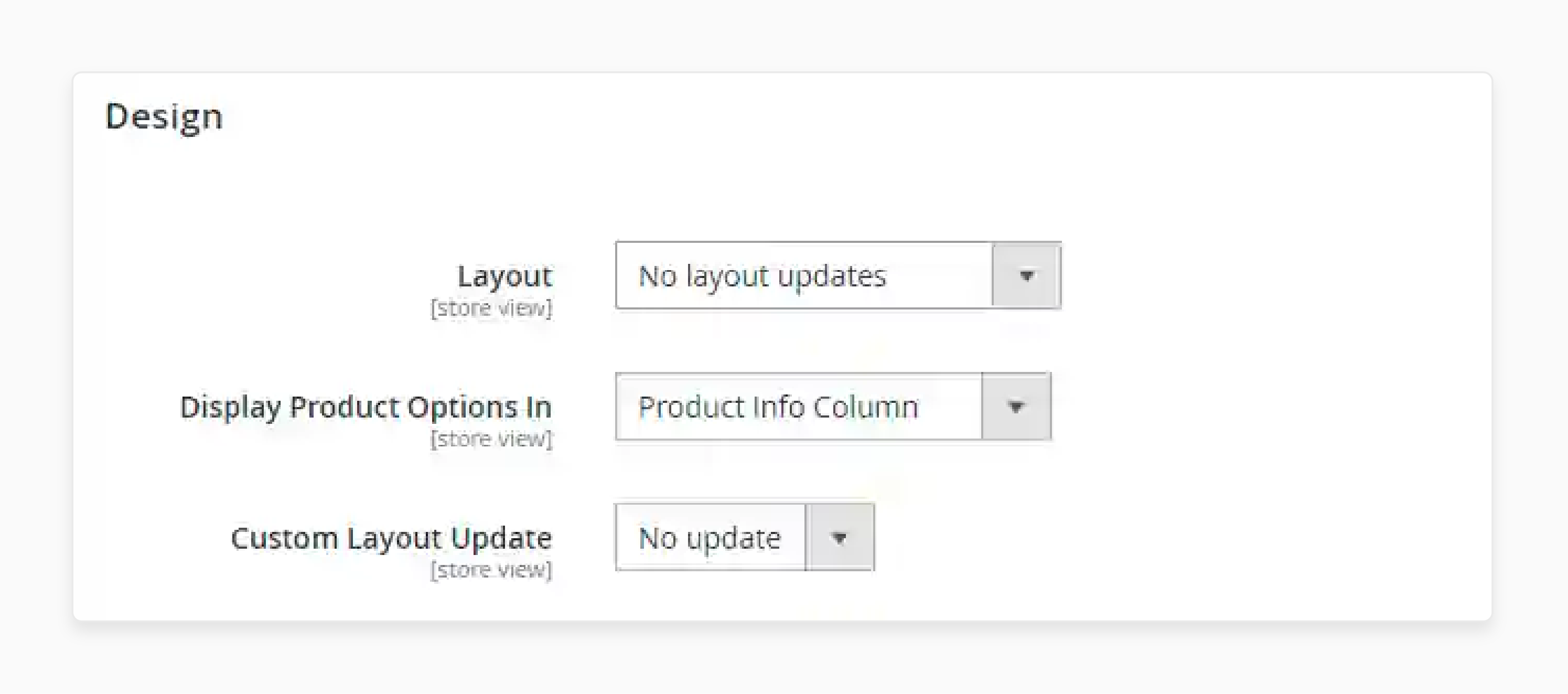
Magento 2.3.4 removed the inline "Layout Update XML" textarea from the admin panel. This addressed a security vulnerability that allowed Remote Code Execution through malicious XML injection.
Before 2.3.4: Edit XML in the admin panel Design tab.
From 2.3.4 onward: Create physical XML files in your theme directory.
For a specific product page, create a file named:
catalog_product_view_selectable_<Product_SKU>_<Layout_Name>.xml
Place it in app/design/frontend/Vendor/Theme/Magento_Catalog/layout/. The Product SKU must be URI-encoded. "Test SKU 123" becomes "Test%20SKU%20123".
Then select the layout file in admin under Catalog > Products > [Product] > Design > Custom Layout Update.
How to Remove Breadcrumbs from Specific Pages
Remove from All Product Pages
Edit catalog_product_view.xml in your theme layout directory:
<referenceBlock name="breadcrumbs" remove="true" />
Remove from All Category Pages
Edit catalog_category_view.xml in your theme layout directory:
<referenceBlock name="breadcrumbs" remove="true" />
Remove from a Specific CMS Page (Magento 2.3.4+)
- Create a file at
app/design/frontend/Vendor/Theme/Magento_Cms/layout/cms_page_view_selectable_<page_identifier>_<layout_name>.xml - Add the
remove="true"reference block inside - Flush the cache
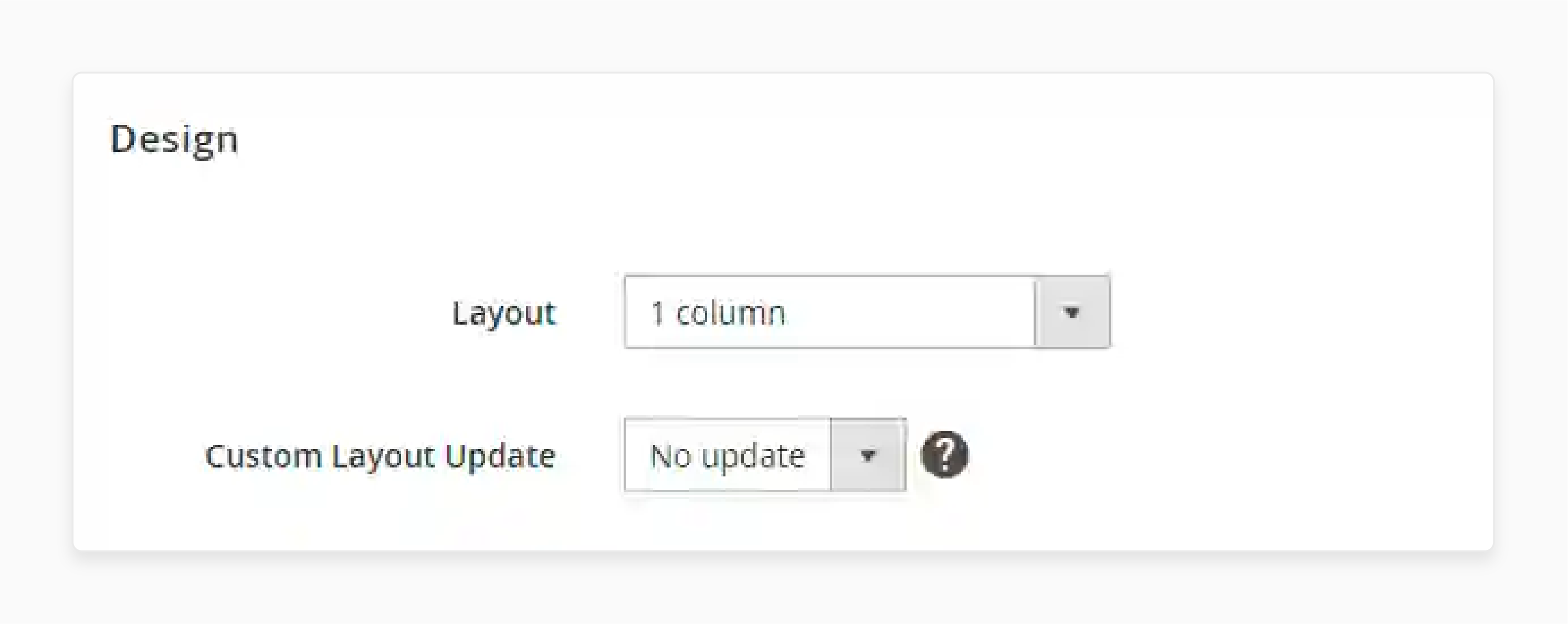
- In admin, go to Content > Pages, select the page, and choose your layout under Design > Custom Layout Update
After any layout change, clear the cache:
bin/magento cache:flush
BreadcrumbList Structured Data for SEO
Magento 2 does not generate BreadcrumbList JSON-LD schema markup in its core. The built-in breadcrumb widget outputs visual HTML only. Search engines need structured data to display breadcrumb paths in search results.
Why This Matters
Google uses BreadcrumbList schema to show site hierarchy in search results. Without it, your product pages display a plain URL instead of a formatted breadcrumb path. This affects click-through rates and gives Google a clearer picture of your site architecture.
How to Add BreadcrumbList Schema
Option 1: Install an extension. The Adobe Commerce Marketplace offers several extensions with BreadcrumbList generation as part of their structured data features. This is the fastest approach for stores without dedicated development resources.
Option 2: Build a custom module. Create a module that injects JSON-LD into the page <head>. The schema follows this format:
{
  "@context": "https://schema.org",
  "@type": "BreadcrumbList",
  "itemListElement": [
    {
      "@type": "ListItem",
      "position": 1,
      "name": "Home",
      "item": "https://www.example.com/"
    },
    {
      "@type": "ListItem",
      "position": 2,
      "name": "Electronics",
      "item": "https://www.example.com/electronics.html"
    },
    {
      "@type": "ListItem",
      "position": 3,
      "name": "Laptop Model X"
    }
  ]
}
Note: The last item (current page) should not include an "item" URL per Google's guidelines.
Option 3: Validate existing markup. Some third-party themes include BreadcrumbList by default. Use Google's Rich Results Test to check if your theme or extensions already output the correct schema before building a custom solution.
Troubleshooting: Breadcrumbs Not Showing
| Symptom | Root Cause | Fix |
|---|---|---|
| No category in breadcrumb ("Home > Product" only) | Visitor accessed the product through a direct URL with no session category | Expected behavior. Implement a custom module to set a fallback category based on product assignment |
| Breadcrumbs missing on all product pages | Theme does not include the breadcrumb block in the product layout | Add <referenceBlock name="breadcrumbs"> to your theme's catalog_product_view.xml |
| Wrong category path displayed | Full Page Cache serving stale JavaScript data | Clear FPC with bin/magento cache:flush. Verify breadcrumb rendering is JavaScript-based, not overridden server-side |
| Breadcrumbs vanished after 2.3.4 upgrade | Inline Layout Update XML was removed from admin | Migrate to file-based Custom Layout Update XML files (see section above) |
| Random category for multi-category products | Magento uses last visited category from session, which varies per user | Install a breadcrumb extension with category priority, or build a custom module that defaults to the shortest or longest path |
| CMS page breadcrumbs not visible | Admin toggle is disabled | Enable at Stores > Configuration > General > Web > Default Pages > Show Breadcrumbs for CMS Pages |
Breadcrumb rendering issues can also affect store speed optimization. JavaScript-heavy breadcrumb widgets that block rendering contribute to poor Largest Contentful Paint scores.
Best Practices for Magento 2 Breadcrumbs
| Practice | Details |
|---|---|
| Use the shortest path for simple stores | Home > Category > Product reduces visual clutter and renders faster |
| Align breadcrumbs with URL structure | Breadcrumb path should match your URL hierarchy for consistent SEO signals |
| Control category path for multi-category products | Core Magento has no native "primary category" setting. Use a breadcrumb extension or custom module to force a specific category path |
| Add BreadcrumbList JSON-LD | Required for Google to display breadcrumbs in search results. Not built into Magento core |
| Test with Full Page Cache enabled | Breadcrumbs behave different with FPC on vs off. Always test both scenarios |
| Don't link the current page | The last breadcrumb segment should be plain text, not a clickable link |
| Handle mobile display | Long breadcrumb trails should truncate or wrap on small screens. Test responsive behavior |
| Audit with Google Search Console | Check the Breadcrumbs report under Enhancements to verify structured data passes validation |
FAQ
1. What are breadcrumbs in Magento 2?
Breadcrumbs are navigational elements that show the path from your homepage to the current page. They appear as clickable links like Home > Category > Product, letting visitors navigate back to parent pages with one click.
2. Why do product page breadcrumbs show "Home > Product Name" with no category?
Magento 2 uses session-based breadcrumbs on product pages. When a visitor accesses a product through a direct URL, search result, or email link, no category session exists. The system can only display the home page and product name. This is expected behavior, not a bug.
3. Do Magento 2 breadcrumbs help with SEO?
Visual breadcrumbs improve navigation and reduce bounce rates. For search engine visibility in rich results, you need BreadcrumbList JSON-LD structured data. Magento 2 core does not generate this schema. Install an SEO extension or create a custom module to add it.
4. How do I show the full category path in breadcrumbs?
Core Magento 2 has no native "primary category" setting for breadcrumbs. Use a breadcrumb extension with category priority features, or create a custom module that reads all assigned categories and selects the longest or shortest path instead of relying on session data.
5. How do breadcrumbs interact with Full Page Cache?
Magento renders product page breadcrumbs through JavaScript, not server-side HTML. This design lets each visitor see a personalized breadcrumb trail based on their browsing session, even when the page HTML is served from FPC.
6. What changed about breadcrumbs in Magento 2.3.4?
Magento 2.3.4 removed the inline "Layout Update XML" textarea from admin panels for CMS pages, categories, and products. This was a security fix to prevent Remote Code Execution via XML injection. Breadcrumb customizations now require physical XML files in your theme directory.
7. Can I add breadcrumbs to CMS pages that don't show them?
Yes. Enable the toggle at Stores > Configuration > General > Web > Default Pages > Show Breadcrumbs for CMS Pages. For pages that still lack breadcrumbs after enabling, add the breadcrumb block via layout XML for that specific CMS page.
8. How do I validate my breadcrumb structured data?
Use Google's Rich Results Test. Enter your product page URL and verify the BreadcrumbList markup appears and passes validation. Google Search Console also has a Breadcrumbs report under Enhancements that shows site-wide structured data status.
Summary
Magento 2 breadcrumbs on product pages run on a session-based JavaScript system. This balances Full Page Cache performance with personalized navigation paths. The core platform handles visual breadcrumbs well but leaves structured data to extensions and custom modules.
For stores aiming to maximize the SEO value of breadcrumbs: add BreadcrumbList JSON-LD schema, control category paths with a breadcrumb extension, and test with cache enabled. Complete the 2.3.4+ Custom Layout Update migration if your store was upgraded from an older version.
Explore our Magento hosting plans to ensure breadcrumb JavaScript loads fast and does not contribute to layout shifts on your product pages.
