Magento 2: How to Call a Template in a Block Using 3 Methods
Experiencing frontend rendering problems due to incorrect block template connections?
Magento 2 how to call a template in a block decides frontend display success. The connection controls data presentation and user interface functionality.
This tutorial explains different methods for implementing Magento 2 block template calls.
Key Takeaways
-
Blocks prepare data while templates create an HTML output structure
-
Several issues can break block template rendering and display
-
Layout XML files define blocks and link template files
-
PHP properties and methods offer alternative template assignment approaches
-
Proper naming and security practices assure maintainable template code
What is Magento 2 Block Template Calling?
“Magento 2 block template calling links PHTML templates with PHP blocks. The process is fundamental to Magento's site architecture. Blocks prepare all data; templates create HTML output.”
Magento resolves these connections through defined, precise steps. Layout XML files declare these block-template pairs often. Developers use the block tag's template attribute. The method offers great flexibility for theme customization.
Alternative methods exist within the PHP block classes.
-
The
$_templateproperty sets a default template file. -
The
setTemplate()method allows dynamic template file assignment.
Layout configurations direct Magento to instantiate blocks. Magento then assigns the block's specific PHTML template. The block’s toHtml() method renders the final HTML. The system promotes a clean separation of concerns. It makes the frontend code easier to manage daily.
Magento Block-Template Rendering Issues Explained
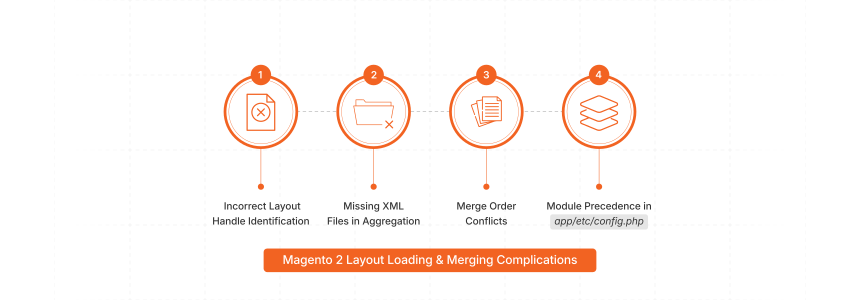
1. Layout Loading and Merging Complications
-
Incorrect layout handle identification loads the wrong XML files. The system might select an unintended page structure.
-
XML file aggregation from modules or themes fails. Missing files disrupt the expected page layout instructions.
-
Merge order conflicts cause unintended overrides of layout rules. Succeeding files may change earlier XML definitions.
-
Module precedence in
app/etc/config.phpcauses unexpected XML behaviors. Higher priority modules can dominate layout outputs.
2. Layout Structure Generation Faults
-
Magento's XML tree processing encounters malformed data points. It stops the correct scheduling of new page elements.
-
The reader pool might misinterpret specific XML tags. Tags like
<block>or<move>cause structural errors. -
Scheduler object task generation produces incorrect action items. Faulty instructions lead to a flawed page-building plan.
-
The system fails to plan object instantiation as intended. It results in missing blocks or page containers.
3. Block Instantiation and Data Problems
-
The generator pool faces issues creating block instances. Scheduled tasks from a prior phase might be faulty.
-
Magento fails to instantiate the correct PHP block class. The
classattribute is wrong or missing. -
Layout XML
<arguments>do not reach target blocks. Blocks receive incorrect data or no data input. -
The block's
_prepareLayout()method execution encounters internal errors. Child blocks or configurations face setup issues now.
4. Template Path Resolution Conflicts
-
The
templateattribute in<block>specifies a non-existent file. Magento cannot locate the PHTML for the block. -
The block's
$_templateproperty points to an incorrect path. The default template assignment fails if XML is absent. -
The
setTemplate()method uses an invalidVendor_Module::path/to/template.phtml. Programmatic template setting leads to rendering new failures. -
The theme fallback mechanism selects an unintended template version. It results in an unexpected visual page presentation.
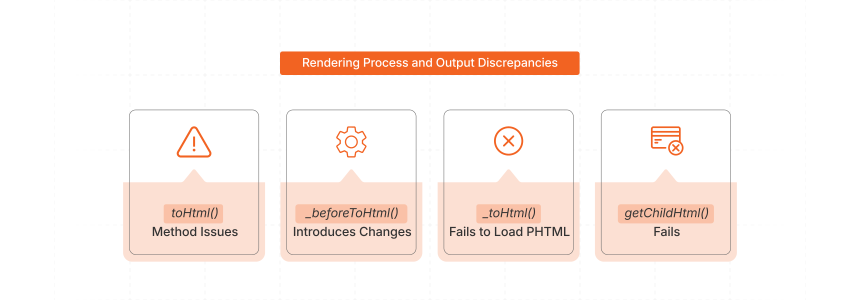
5. Rendering Process and Output Discrepancies
-
A block’s
toHtml()method triggers flawed output content generation. The content does not reflect the intended page structure. -
The
_beforeToHtml()method introduces unexpected data set modifications. It changes block content before PHTML file processing. -
The
_toHtml()method fails to include the PHTML file. The block instance$blockmight be unavailable there. -
Child block rendering via
$block->getChildHtml()can fail. It results in missing or incomplete page sections.
How to Call a Template in a Block via Magento 2 Layout XML?
Step 1: Locate or Create Layout XML File
-
Identify the correct layout XML file for your change. The file often matches a specific controller action.
-
Common files include
yourmodule_controller_action.xmlordefault.xml. These files exist in module or theme directories. -
Create the layout XML file if it does not exist. Place it in your module's
view/<area>/layout/.
Step 2: Define the Block and Template
-
Use the
<block>tag to define your block. Specify the PHP block class using theclassattribute. -
Assign a unique name using the
nameattribute. An example name isyour.unique.block.namefor reference. -
Use the
templateattribute to specify the PHTML file. The format isVendor_Module::path/to/your/template.phtmlalways. -
Place the
<block>tag within a<referenceContainer>or<referenceBlock>. It positions your block on the page.
Example:
<referenceContainer name="content">
    <block class="Vendor\\Module\\Block\\YourBlockClass"
           name="your.unique.block.name"
           template="Vendor_Module::path/to/your/template.phtml" />
</referenceContainer>
Step 3: Understand Attribute Details
-
The
classattribute indicates the block's PHP logic provider. It defaults toMagento\Framework\View\Element\Templateif omitted. -
The
nameattribute is vital for block referencing. It prevents conflicts during layout XML merging. -
The
templateattribute'sVendor_Modulepart specifies the module. The::separates it from the relative path. -
The path relates to the module's
view/<area>/templates/. For example,custom/myview.phtmlis a valid path.
Step 4: Consider Using <argument> Tag (Alternative)
-
You can define the template using an
<argument>tag. The method is more verbose but valid. -
Inside
<block>, add<arguments>then<argument name="template" xsi:type="string">. The value is the template path. -
The approach is often used for other block constructor data. The
templateattribute is more direct for templates.
Example with <argument>:
<referenceContainer name="content">
    <block class="Vendor\\Module\\Block\\YourBlockClass" name="your.unique.block.name">
        <arguments>
            <argument name="template" xsi:type="string">
                Vendor_Module::path/to/your/template.phtml
            </argument>
        </arguments>
    </block>
</referenceContainer>
Step 5: Clear Cache and Verify Output
-
Magento caches layout XML configurations for better performance. You must clear relevant caches after making changes.
-
Run
bin/magento cache:clean layout block_htmlfrom CLI. It makes sure Magento loads your new layout definitions. -
Verify the changes on the frontend or backend. Make sure your block renders with the correct template.
Alternative Methods to Call Magento 2 Block Template
Method 1: Using the $_template Property
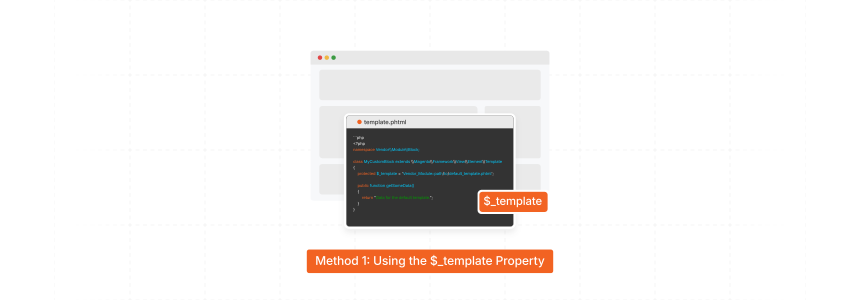
The $_template property sets a default template for blocks. This protected property works within the block class itself. Magento checks this property when no Layout XML template exists.
-
Set the
$_templateproperty in your block class declaration -
Use the format
'Vendor_Module::path/to/template.phtml'for template paths -
Place templates in the
view/<area>/templates/directory of your module -
Layout XML templates override the
$_templateproperty settings when both exist
<?php
namespace Vendor\\Module\\Block;

class MyCustomBlock extends \\Magento\\Framework\\View\\Element\\Template
{
    protected $_template = 'Vendor_Module::path/to/default_template.phtml';

    public function getSomeData()
    {
        return "Data for the default template.";
    }
}
Method 2: Using the setTemplate() Method
The setTemplate() method changes templates during runtime execution. The method allows conditional template selection based on logic. Developers call this method from constructors or _prepareLayout() methods.
-
Call
setTemplate()from the block constructor for immediate assignment -
Use the
_prepareLayout()method for template selection based on data -
Pass template path string following
'Vendor_Module::path/to/file.phtml'format -
Runtime calls override both Layout XML and
$_templateassignments
<?php
namespace Vendor\\Module\\Block;

class MyDynamicBlock extends \\Magento\\Framework\\View\\Element\\Template
{
    public function __construct(
        \\Magento\\Framework\\View\\Element\\Template\\Context $context,
        array $data = []
    ) {
        parent::__construct($context, $data);

        if ($this->checkCondition()) {
            $this->setTemplate('Vendor_Module::conditional_template_a.phtml');
        } else {
            $this->setTemplate('Vendor_Module::conditional_template_b.phtml');
        }
    }
}
Template Assignment Precedence
-
Magento follows specific precedence rules for template assignment. Layout XML templates take the highest priority over other methods.
-
Programmatic
setTemplate()calls override the$_templateproperty values. The$_templateproperty serves as the fallback option. -
Template precedence order: Layout XML →
setTemplate()method →$_templateproperty.
Magento 2 Block-Template Link Best Practices
1. Standardized Location and Naming
-
Place PHTML files in the
view/<area>/templatesmodule directories. Themes useapp/design/<area>/<Vendor>/<Theme>/<Vendor_Module>/templates/for overrides. -
Use descriptive lowercase names with underscores for PHTMLs. An example is
product_list_item.phtmlfor clarity. -
Name blocks in layout XML with lowercase dots. For instance, use
product.info.detailsfor unique identification. -
Clear names improve code readability and prevent conflicts. Developers find and understand template purposes much faster.
2. Module Specificity and Overriding
-
Always use
Vendor_Module::path/to/template.phtmlformat for paths. It applies to layout XML and PHP methods. -
The format tells Magento the module's
templatesdirectory. It prevents ambiguity and aids fallback mechanisms. -
Prefer theme-level overrides for presentation changes now. Create identical paths in your active theme folder.
-
Use module-level overrides for functional template changes. It is when data requirements also change.
3. Separation of Concerns and Security
-
PHP blocks handle all business logic and data fetching. Blocks prepare data and offer public getter methods.
-
PHTML templates focus on HTML structure and presentation. They use PHP for simple controls and output.
-
Separation makes code cleaner and easier to test. Frontend and backend development become more independent.
-
Always escape all dynamic data in PHTML templates. Use methods like
$block->escapeHtml($variable)for safety. -
Failure to escape output creates major XSS risks. Templates know the display context for proper escaping.
4. Proactive Cache Management Methods
-
Clear relevant caches after layout or template changes. Use
bin/magento cache:clean <cache_type>in development. -
Understand how Magento block caching operates.. Control cacheability via layout XML or block methods.
-
Use
cacheable="false"in the layout for dynamic content. Use this attribute with restraint to avoid performance issues. -
Proper cache management reflects changes and optimizes speed. It prevents serving outdated layout or template versions.
5. Consistent Coding for Maintainability
-
Maintain a consistent code style across all template files. The practice improves team collaboration and code reviews.
-
Document complex template logic or block interactions. It helps future developers understand the existing code.
-
Avoid direct object manager use within template files. The practice adheres to Magento’s dependency injection principles.
-
Review and refactor old template code. It confirms templates remain efficient and follow standards.
FAQs
1. What happens if I define a template in layout XML and $_template?
Magento prioritizes the template specified in Layout XML. The $_template property acts as a fallback. Magento uses it if no template is set via layout. The system makes sure XML customizations take precedence.
2. Can I render PHTML without a custom PHP block class?
Yes, use Magento\Framework\View\Element\Template as the block class. This generic block provides basic template rendering capabilities. It does not need a custom PHP block. You assign the PHTML to this generic block.
3. How do I find which PHTML a block renders?
Enable Magento's template path hints for precise debugging. Navigate to Stores > Configuration > Advanced > Developer. Turn on "Enable Template Path Hints for Storefront". This action displays the PHTML file path for each block.
4. Why do my PHTML template changes not appear?
Magento caches block HTML and layout configurations. Clear relevant caches after PHTML or layout XML modifications. Use bin/magento cache:clean layout block_html full_page from CLI. Browser caching can also cause display issues.
5. Can a block from Vendor1_ModuleA use a Vendor2_ModuleB template?
Yes, this is a common practice. In layout XML, define the block with class="Vendor1\ModuleA\Block\MyBlock". Then set template="Vendor2_ModuleB::path/to/template.phtml". Magento's resolver locates the template in the specified module.
Summary
Magento 2 how to call a template in block links PHTML files. It uses PHP blocks for the entire site structure. This core Magento process defines page structure. It also controls the complete site’s visual presentation. Below are the tutorial’s main highlights:
-
Use Layout XML to define block-template associations. This primary method offers flexibility for Magento theming.
-
Understand template path resolution and all fallback mechanisms. This knowledge confirms correct template file selection.
-
Use
$_templateorsetTemplate()in PHP class. These set defaults or dynamic template requirements. -
Adhere to best practices for PHTML file location. Follow consistent component naming conventions for clarity.
-
Manage Magento cache after making any layout changes. This step shows modifications on the live frontend.
Consider Managed Magento Hosting to maintain peak block-template configuration performance.